Prerequisites
Receiver name and server URL of the HTTP receiver. For example, if Splunk is the receiver, enter its name and the server URL.
Create a token if you are using a token authentication method.
Follow these steps to add an HTTP receiver for metadata streaming of Email Security - Server appliance email events:
To add an HTTP receiver using the Web UI:
Go to the Settings > Metadata Streaming page.
Click Add HTTP metadata receiver.
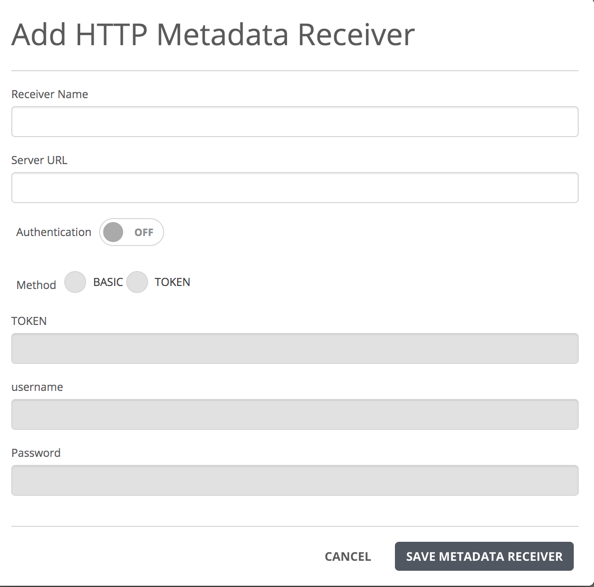
Enter the receiver name and server URL of the HTTP receiver. For example, if Splunk is the receiver, enter its name and the server URL.
(Optional) If authentication is required for access to the HTTP receiver, click an option
BASIC—enter a user name and password.
TOKEN—enter the token that you have created for your HTTP receiver. For example, if you are using Splunk as an HTTP receiver, create a token to access this resource.
Click Save Metadata Receiver.