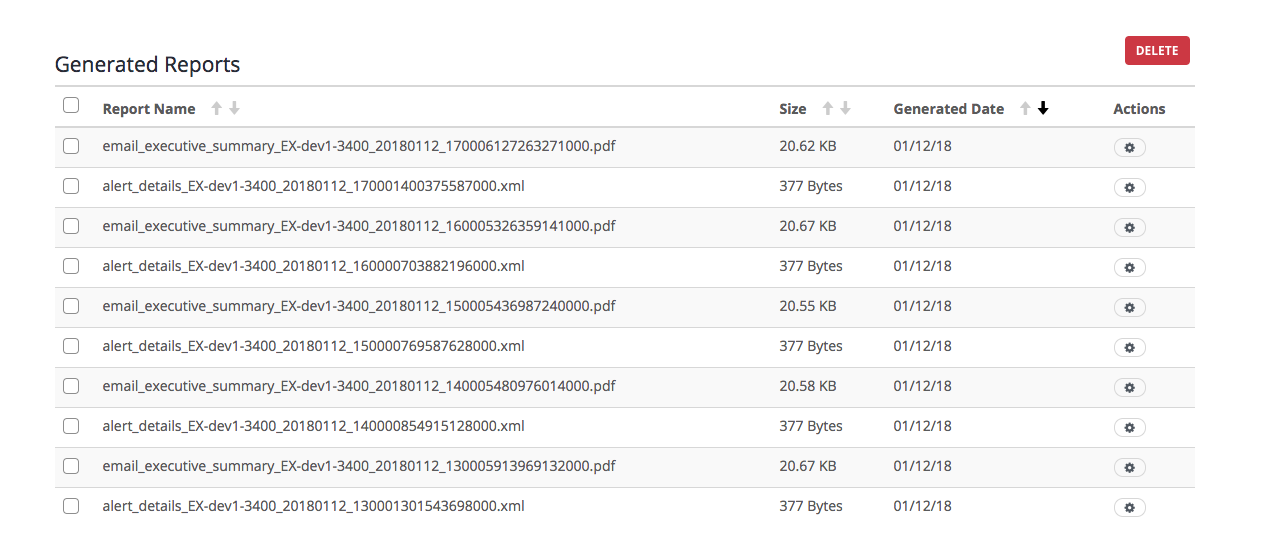
Use the Generated Reports table to delete all the manually generated reports from the reports database on the appliance using the Web UI.
Prerequisites
Log in to the Web UI of the appliance as Administrator or Operator
You have generated one or more reports on the appliance.
The page lists the reports that have already been generated in the reports database.
The page refreshes to show that the Generated Reports table no longer appears.
In the Web UI, choose Reports > Static Reports .
In the Generated Reports table, select all the reports from the reports database that you want to delete. The Delete button changes to Delete nnn Reports showing the number of reports selected for deletion.
Click Delete nnn Reports.
Click OK.
All the generated reports are removed. The following message appears:
.png)
Close the message.