A campaign is a set of potentially malicious email messages with similar characteristics. The campaign detection feature groups emails that have similar characteristics, such as attachments, URLs, subject, email body or sender. For example, for a campaign that uses an invoice theme references an invoice number in the subject lines and includes a malicious attachment that come from a variety of senders, the Email Security — Cloud appliance assigns an ID to the campaign that is created in the UTC time zone. With campaign detection, the amount of data that needs to be analyzed might be significantly reduced while the key characteristics about the email can be maintained by the application.
Note
The Email campaign detection feature is available only for Inbound mode.
To access the Email Campaigns module, go to Investigate > Email Campaigns. Click on the Inbound and Outbound drop-down menu to select Inbound mode. This page allows you to view detected campaigns.
The Email campaigns chart displays of total number of campaigns detected. Hover over the chart to see the number of each type of campaign detected.
The bar graph shows the total number of campaigns and emails detected in a time period. You can change the time period in the top left corner of the dashboard (24 hours, 7 days, or 30 days). You can filter domains as well. Hover over a bar to see the number of emails and campaigns. If you click on a bar, you will be redirected to the corresponding campaign details on the Email Campaign page.
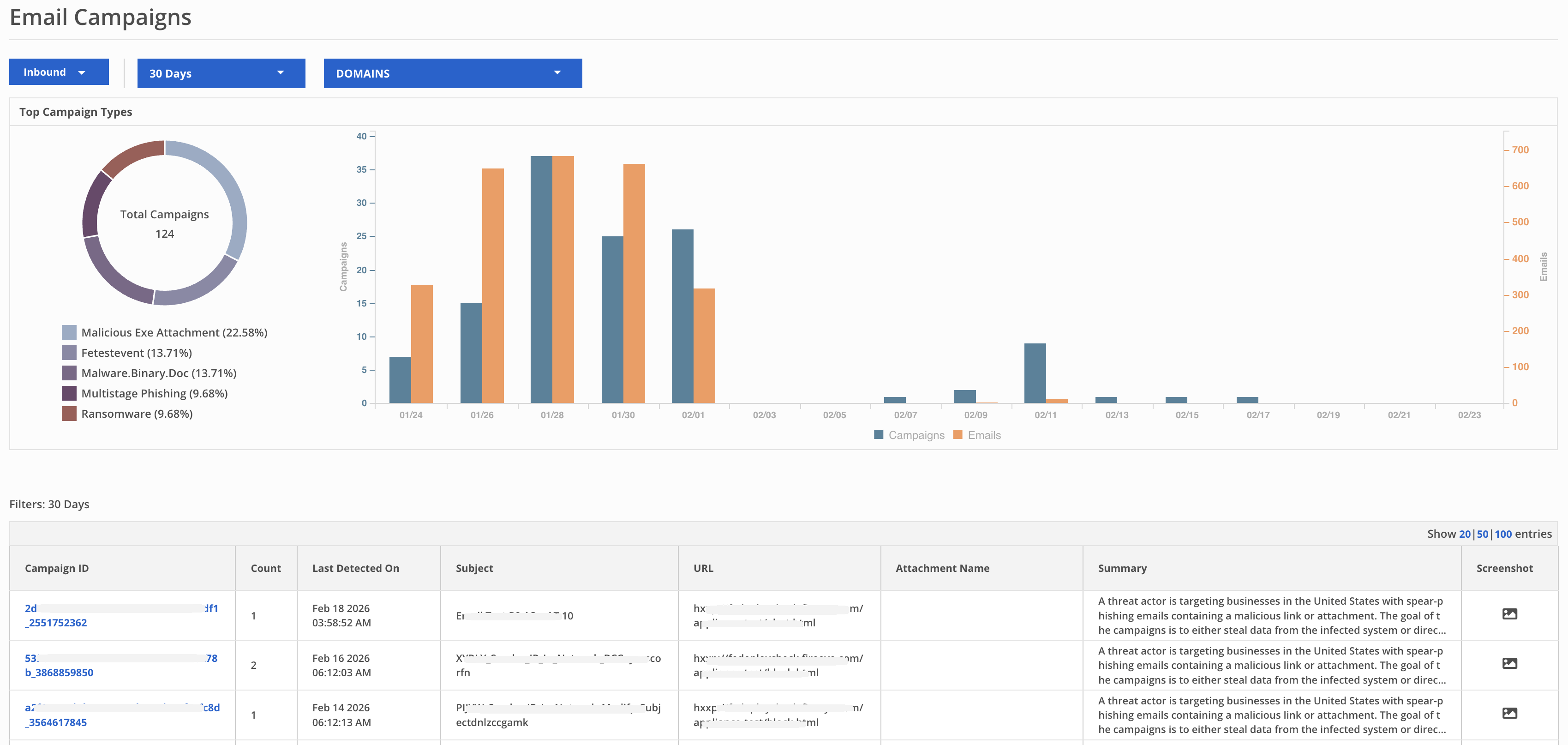
To view the details of all the emails of an individual campaign, click the Campaign ID link for that campaign. The system redirects you to the Email Trace page and applies the current time filters. The email count on the Campaigns page might differ from the Email Trace results. This occurs because the campaign detection timestamp differs from the email received timestamp. Adjust the time filters on the Email Trace page to view the required data.
You can use the Email Campaigns query in Advanced Search tab to search for an email.
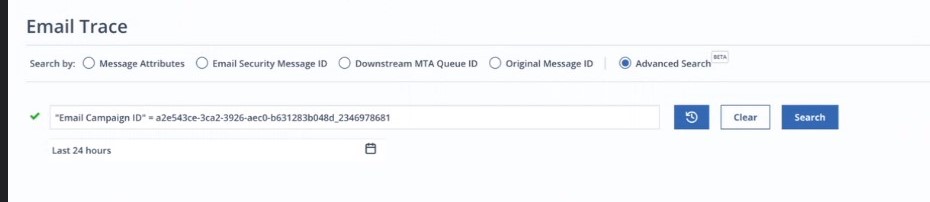
The following table lists the information shown on the Email Campaigns page.
Email Campaigns categories | Category description |
|---|---|
Campaign ID | Unique ID of a campaign |
Count | Number of malicious emails detected under a campaign for the selected time period |
Last Detected On | Latest date and time when a malicious email is detected in a campaign |
Subject | Subject of the malicious email |
URL | URLs in the malicious email |
Attachment Name | Attachments in the malicious email |
Summary | Summary of the campaign |
Screenshot | Screenshot of the malicious email |