Use the Settings > Metadata Streaming page to enable or disable a metadata streaming receiver using the Web UI.
Prerequisites
An established connection between the Email Security - Server appliance and the Internet.
An established connection between the Email Security - Server appliance and the receiver.
You are logged in to the Web UI with Admin or Operator access.
Go to the Settings > Metadata Streaming page.
Click Enabled > Off or click Actions > Enable to enable metadata streaming.
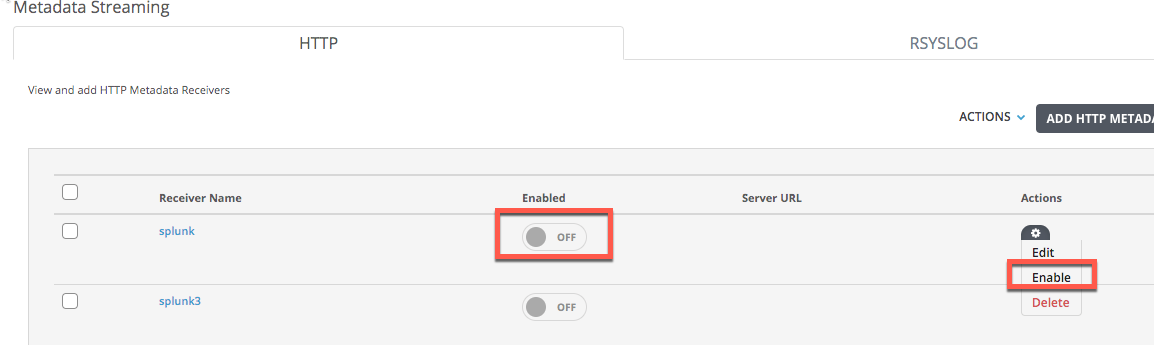
Click Yes. A confirmation message is displayed.
Go to the Settings > Metadata Streaming page.
Click Enabled > On or click Actions > Disable to disable metadata streaming.
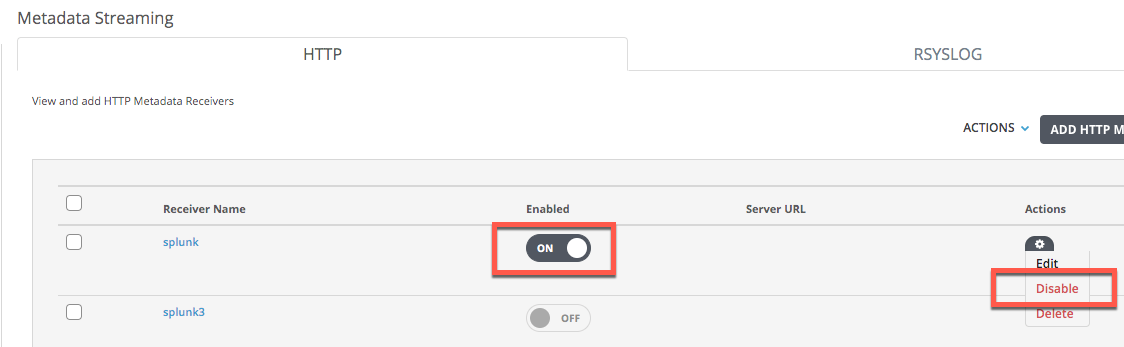
Click Yes. A confirmation message is displayed.
If you want to enable or disable multiple receivers at once, select the corresponding receiver checkboxes, and then click Actions > Enable or Actions > Disable. A prompt for confirmation is displayed.