Use the Feature Settings area in the Email Policy Configuration page to enable or disable analysis of URLs that are embedded in PDF and Microsoft Office files of an email message using the Web UI.
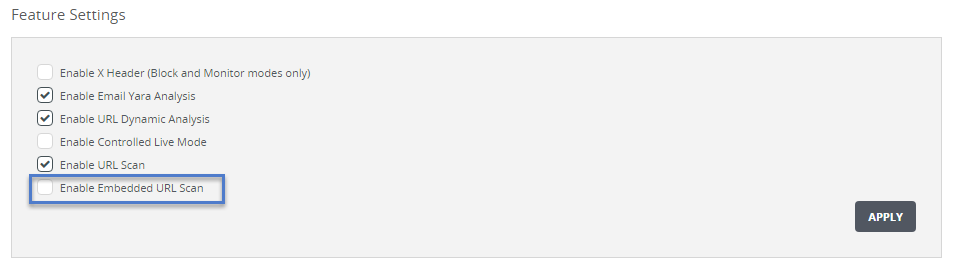
To enable analysis of embedded URLs in files:
In the Web UI, choose Settings > Email Policy.
In the Feature Settings section, select the Enable Embedded URL Scan checkbox.
Click Apply.
To disable analysis of embedded URLs in files:

In the Web UI, choose Settings > Email Policy.
In the Feature Settings section, clear the Enable Embedded URL Scan checkbox.
Click Apply. The following message appears: