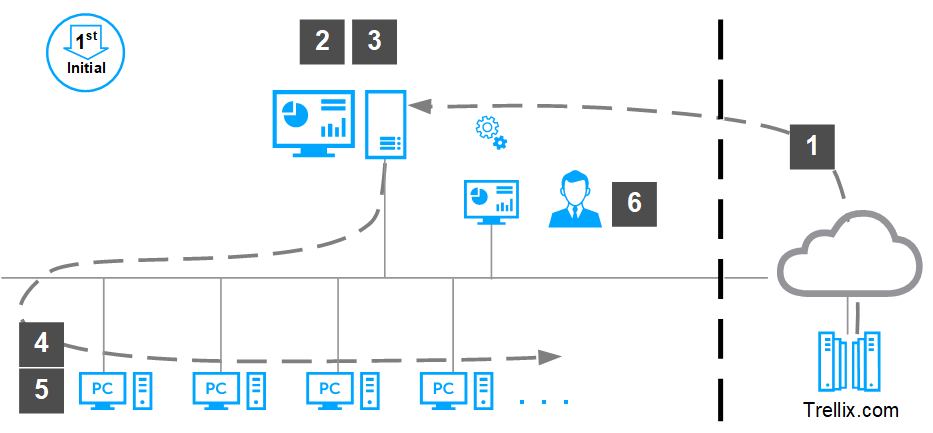
Before you can install Trellix DLP for the first time, you must install and set up ePO - On-prem in the required configuration, and deploy Trellix Agent to the network endpoints.
Note
ePO - On-prem 5.9 has a default file size limitation, and maximum size of Trellix DLP package size can be up to a 350-MB file. For additional information, see KB90036.
Download the software from the Trellix DLP download site, or use the ePO - On-prem Software Catalog to view, download, and install the software.
Note
In ePO - On-prem versions 5.9.x, the Software Catalog is called Software Manager.
If you are installing from the Trellix DLP download site
Install the Trellix DLP extension in the ePO - On-prem Extensions.
Check the Trellix DLP Endpoint client package into the ePO - On-prem Main Repository.
Deploy Trellix Agent to the endpoints from the ePO - On-prem System Tree.
Deploy the client software to the endpoints from the ePO - On-prem System Tree.
Verify the installation in the DLP Operations console.
Note
DLP Operations is a feature of the Trellix DLP extension in ePO - On-prem. You must install at least one license on the DLP Settings page to use any of the Trellix DLP features.