DLP Help Desk allows administrators to create release keys for situations outside the normal workflow.
Trellix DLP Endpoint - SaaS uses a challenge-response mechanism to bypass security in special cases. When a situation affects multiple users, a different mechanism is applied.
Individual release keys
Examples of situations requiring an individual release key are:
A user needs to release emails from quarantine to delete sensitive information.
Trellix DLP Endpoint - SaaS client needs to be uninstalled, but ePO - SaaS can't be used because the computer is outside the corporate network.
A user has a valid business reason to perform a one-time operation that a security policy is blocking.
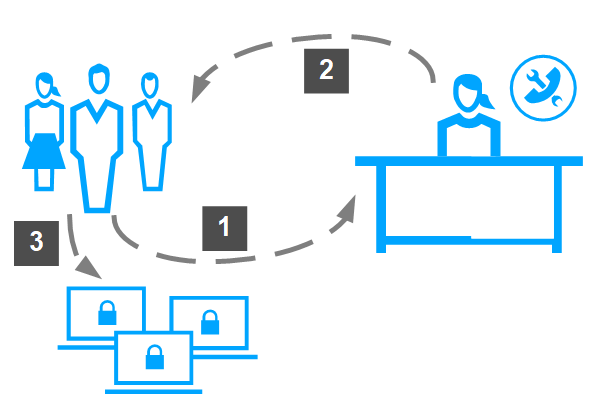
Challenge-response protocol
The endpoint user opens the Tasks tab in the Trellix DLP Endpoint - SaaSconsole where an Identification Code (the challenge) and Policy Revision information are displayed. This information is specific to theTrellix DLP Endpoint - SaaS client computer requesting the override.
The user sends the ID code and policy revision number to an administrator, typically by text message, phone, or email.
The administrator enters the information provided in the DLP Help Deskconsole, and generates a Release Code (the response), and sends it to the user.
The user enters the release code in the appropriate text box and continues with the release, bypass, or uninstall task.
Multiple user release keys
Release keys generated with a global release code are not keyed to the entry of a challenge code generated by a specific Trellix DLP Endpoint - SaaS