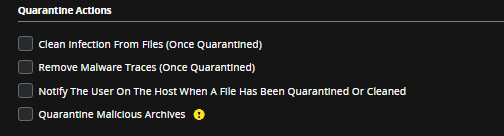
To disable the remediation actions for MalwareGuard setting in your custom policy:
Note
When you disable a setting in a custom policy, the setting is disabled for all host sets assigned to the policy. If you want select host sets to keep the original setting, you must create a new custom policy with the setting enabled and assign it to the selected host sets. See Creating a Custom Policy for more information about using the Web UI to create a custom policy.
Log in to the Web UI as an administrator.
From the Admin menu, select Policies to access the Policies page.
In the Policies table, click the link for the custom policy you want to modify.
Select the Malware Protection tab.
Locate Quarantine Actions and clear the Quarantine Malicious Archives option to disable remediation actions for MalwareGuard processing.