The Driver Memory script requests driver memory data from host endpoints and uses the driver-memoryacquire audit to collect a driver from live memory or from a memory image of a host endpoint. See the Endpoint Security (HX) Audit Reference Guide for more information. This script can be requested for Windows host endpoints only.
Note
Driver Memory script support is not provided for macOS or Linux host endpoints.
You cannot copy, edit, reset, import, or delete the Driver Memory script or use this script in data acquisition scripts you create. This script does not appear on the Data Acquisition Scripts page.
Requesting driver memory data
Select Hosts in the Endpoint Security (HX) Web UI.
Select a host.
Note
If you select multiple hosts, the Driver Memory data acquisition option is not available. This script can only be requested when a single host is selected.
From the Actions menu, select Driver Memory. Alternatively, you can select Driver Memory from the Acquire menu on a host details page.
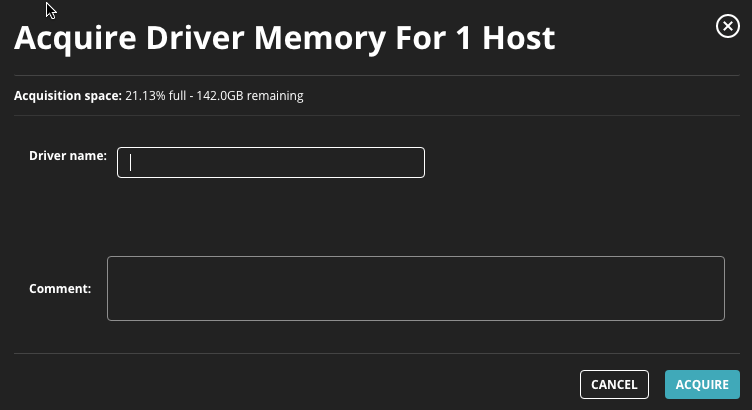
Click Go to access the Acquire Driver Memory dialog box.
In the Driver name field, specify a driver name to use when collecting driver memory data.
In the Comment field, enter the reason you want to acquire the file and log details about the data acquisition request that you want to track.
Click Acquire.
The Acquire Driver Memory dialog box also shows the percentage of allotted disk space currently used to store acquisitions and how much free disk space (in GB) remains.
Driver Memory data can be requested as a regular data acquisition. See Requesting a data acquisition for more information.