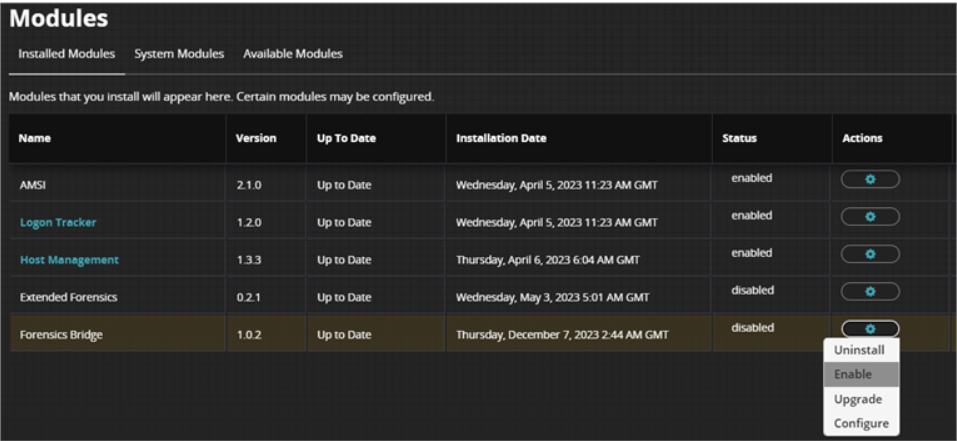
You can use the HX UI to enable the Forensics Bridge module you have installed.
To enable the Forensics Bridge module on the Endpoint Module Administration page, complete the following steps.
Log on to the HX UI with your administrator credentials.
From the Modules menu, select Endpoint Module Administration to access the Modules page.
On the modules page, click Installed Modules.
Locate the Forensics Bridge module in the list.
In the Actions column, click the gear icon, and select Enable.