Excluding host sets from containment using the Web UI Published on Aug 26, 2026
Print
Copy page Copy as Markdown for LLMs View as Markdown View the page as plain text
Open in ChatGPT Ask ChatGPT about this page Open in Claude Ask Claude about this page Prev Next To exclude hosts:
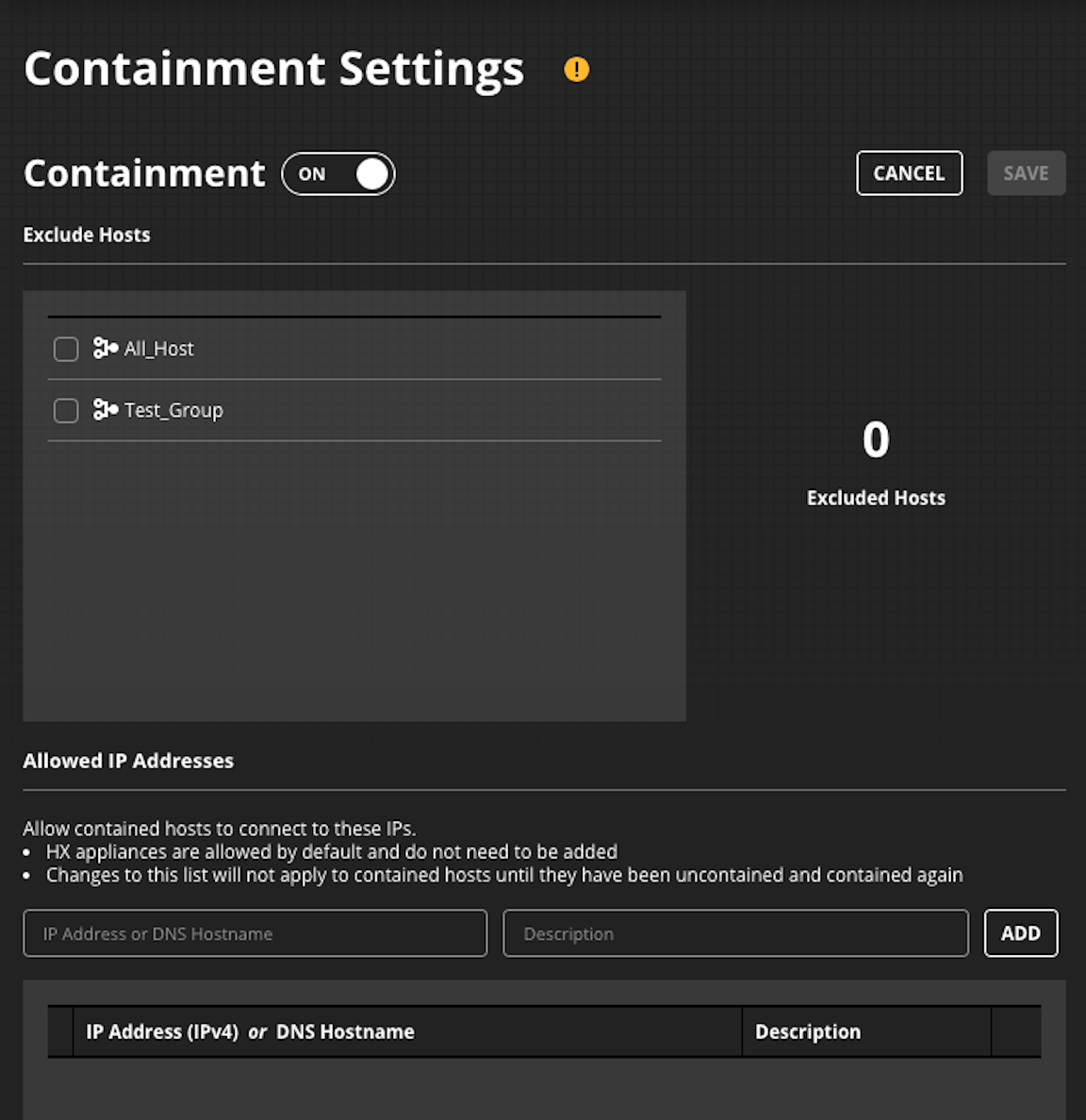
Log in to the Endpoint Security (HX) Web UI.
Select Containment Settings on the Configure menu.
In the Exclude Hosts list, select host sets to exclude.
Click Save .
Was this article helpful?
Yes No
Related articles
Endpoint Detection and Response with Forensics (EDRF) > Manage your workspaces > Configure Forensics workspace > Configuring containment > Excluding host sets from containment
Endpoint Security (HX) > Endpoint Security (HX) Server 10.x User Guide > Configuration > Configuring containment > Excluding host sets from containment
Endpoint Detection and Response with Forensics (EDRF) > Manage your workspaces > Configure Forensics workspace > Configuring containment > Maintaining the contained host allow list