Prevent undesirable traffic from accessing a designated network by using connection isolation for groups.
When connection isolation is enabled for a group, and an active Network Interface Card (NIC) matches the group criteria, Firewall only processes traffic that matches:
Allow rules above the group in the firewall rules list
Group criteria
All other traffic is blocked.
Note
Any group with connection isolation enabled can't have associated transport options or executables.
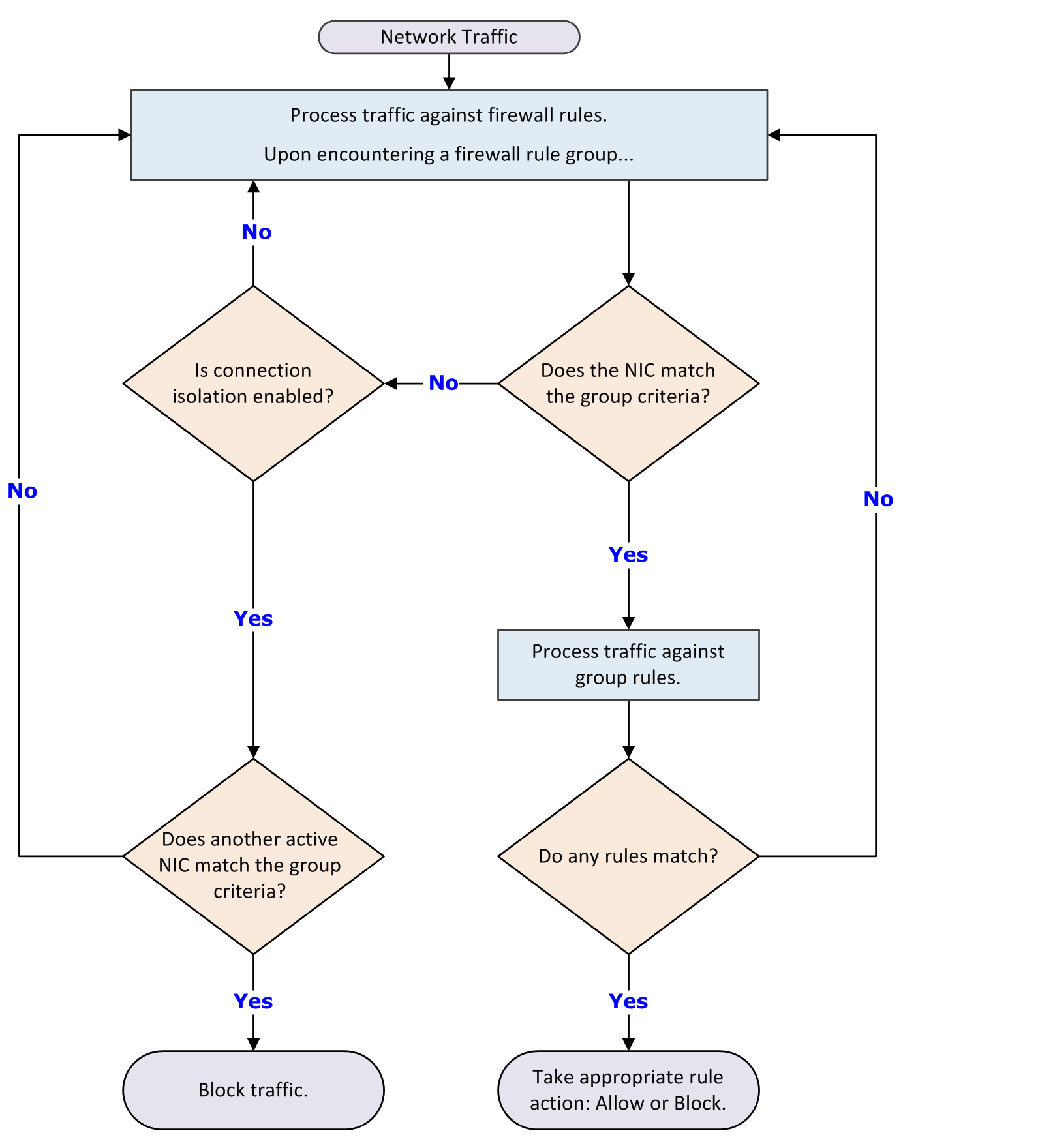
As examples of using connection isolation, consider two settings: a corporate environment and a hotel. The active firewall rules list contains rules and groups in this order:
Rules for basic connection
VPN connection rules
Group with corporate LAN connection rules
Group with VPN connection rules
Example: connection isolation on the corporate network
Connection rules are processed until the group with corporate LAN connection rules is encountered. This group contains these settings:
Connection type = Wired
Connection-specific DNS suffix = mycompany.com
Default gateway
Connection isolation = Enabled
The computer has both LAN and wireless network adapters. The computer connects to the corporate network with a wired connection. But, the wireless interface is still active, so it connects to a hotspot outside the office. The computer connects to both networks because the rules for basic access are at the top of the firewall rules list. The wired LAN connection is active and meets the criteria of the corporate LAN group. The firewall processes the traffic through the LAN but because connection isolation is enabled, all other traffic not through the LAN is blocked.
Example: connection isolation at a hotel
Connection rules are processed until the group with VPN connection rules is encountered. This group contains these settings:
Connection type = Virtual
Connection-specific DNS suffix = vpn.mycompany.com
IP address = An address in a range specific to the VPN concentrator
Connection isolation = Enabled
General connection rules allow the setup of a timed account at the hotel to gain Internet access. The VPN connection rules allow connection and use of the VPN tunnel. After the tunnel is established, the VPN client creates a virtual adapter that matches the criteria of the VPN group. The only traffic the firewall allows is inside the VPN tunnel and the basic traffic on the actual adapter. Attempts by other hotel guests to access the computer over the network, either wired or wireless, are blocked.