You aim to query the presence of events received and ingested into Helix. This is based on the native ability of Helix to search across events using its query language. The example illustrated here is aimed to obtain a total of events received over the last 24 hours, grouping them by type.
On your Helix dashboard, click the magnification icon from the top right-hand side of the page. This expands the top of the page and displays few search fields.
Set the following search criteria:
Index Search (not Archive Search)
The time window as Past 24 Hours
The query text as has(class) class=fireeye_hx_ioc | groupby eventtype
Submit the query by clicking the blue search button on the right edge of the query text field
Based on the data within your system, you should receive a response with some data. You can expand the time window to something that covers a wider scope of time if no hits have occurred in the last 24 hours in your Endpoint Security environment.
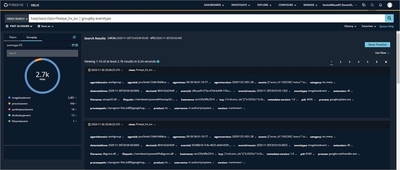
From here you can further refine your search into areas of interest by clicking on any of the data fields that indicate a downward facing blue chevron  on the right edge of the field.