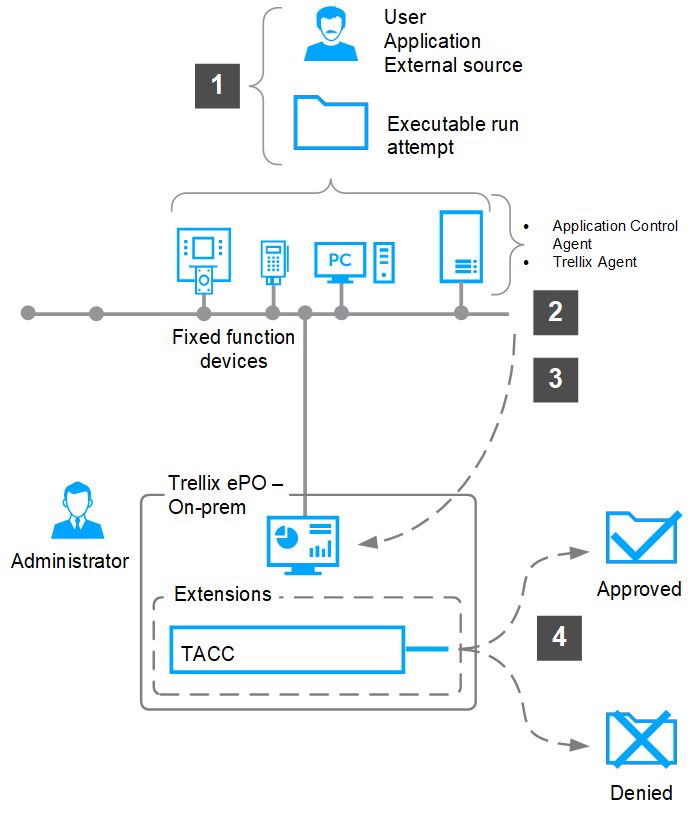
Application Control creates a allow list of all authorized executable files. When you attempt to run an executable file that is not allowed, Application Control blocks its execution.
The allow list details authorized files and determines trusted or known files. In Enabled mode, only files that are present in the allow list are permitted to execute. All files in the allow list are protected and can't be changed or deleted.
A user or application tries to execute a file where Application Control and Trellix Agent are installed.
Solidcore Agent and Trellix Agent are installed on the managed endpoints. When a user or application tries to execute a file, Trellix Agent registers the attempt and sends the event to ePO - On-prem.
Solidcore Agent checks if the executable is added to the inventory as allowed.
If the executable is allowed, the file is permitted to run.