You can use the Transfer Systems command to move managed systems from one ePO - On-prem server to another. For example, from an old ePO - On-prem server to a new ePO - On-prem 5.x server.
You might need to transfer managed systems if you're upgrading the server hardware and operating system or the ePO - On-prem software version.
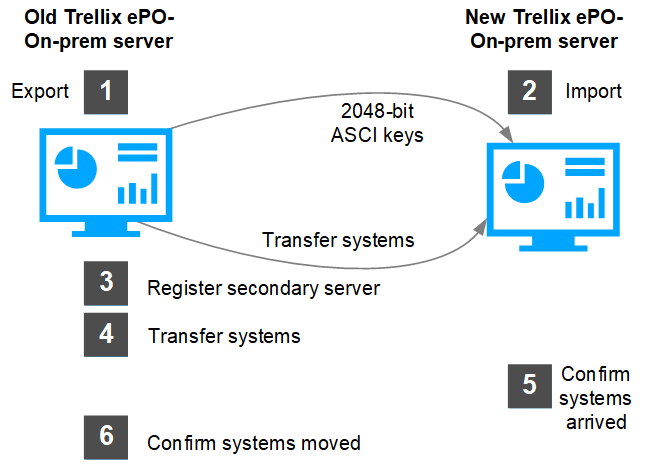
Export your security keys from the old server.
Import the security keys in the new server.
Register the new ePO - On-prem server to the old server.
Transfer your current systems to the new ePO - On-prem server.
Confirm that you can view the systems in the new server's System Tree.
Confirm that the systems no longer appear in the old server's System Tree.
This graphic shows the major processes to transfer systems from one ePO - On-prem server to another.