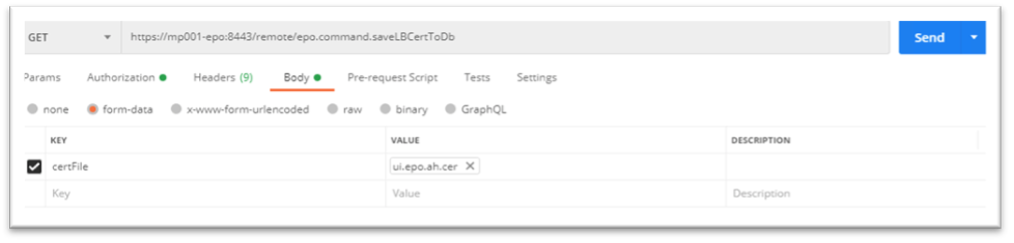
Before you begin, save the ePO and Agent Handler certificates in the PEM format.
Enter the Agent handler DNS in your browser. For example, https://ah-epo.aws.com/.
In browser address bar, click the certificate icon, and click Certificate.
Click Global Certificate → View Certificate → Details.
Select each certificate and save the certificate in .cer format.
Follow the steps 2 to 4 for all certificates.
Sign in to Postman and upload the certificates.
Select each downloaded certificates and select Upload.
In Authorization tab, enter the ePO credentials to sign in.