Manage acquisitions in the Collections dashboard Published on Aug 26, 2026
Print
Copy page Copy as Markdown for LLMs View as Markdown View the page as plain text
Open in ChatGPT Ask ChatGPT about this page Open in Claude Ask Claude about this page Prev Next After starting an acquisition, use the Collections dashboard to monitor its status and manage the collected data.
Log in to the Trellix EDR.
Go to Menu Collections
Select the endpoint from which you want to view or collect data.
Use the Global filter to search across all the fields in the Collections dashboard.
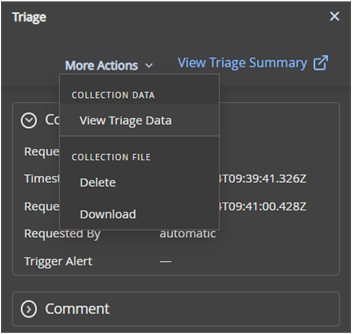
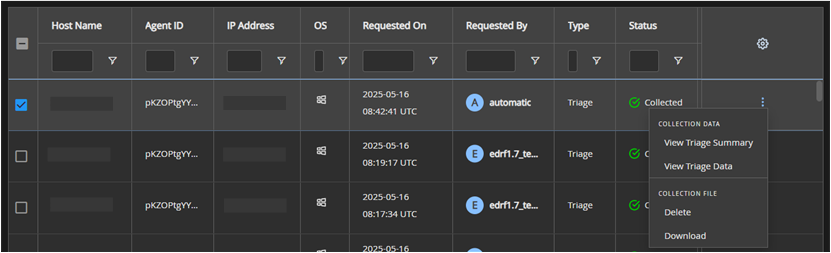
To manage a collection, select its row to open the summary pane, or click the More Actions icon at the end of the row.
Select an action:
View Triage Summary or View Triage Data : Opens the Forensics workspace for deeper analysis.
Download : Downloads the collected data as a ZIP file. You must extract the files to review them.
Delete : Removes the collection data.
Was this article helpful?
Related articles