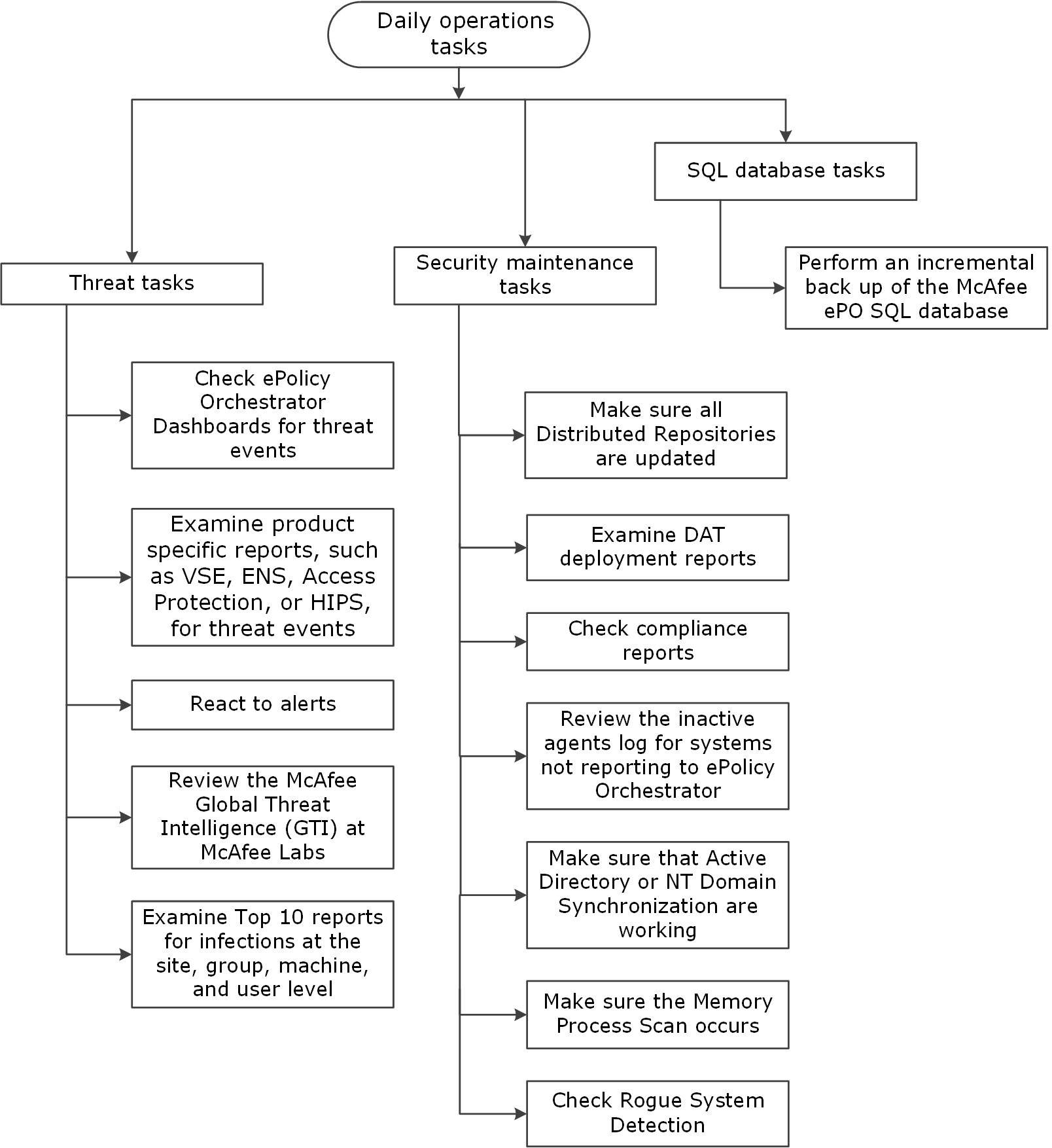
Perform these Trellix recommended tasks at least once a day to ensure that your ePO - On-prem server-managed systems are safe from threats and your ePO - On-prem server is functioning normally.
Note
Before you make any major changes to policies or tasks, Trellix recommends that you back up the database or create a snapshot of the records in the ePO - On-prem database.
Note
Where indicated, some of these tasks can be automated. Those instructions are included in this guide.
Recommended ePO - On-prem daily tasks details
Task | Description |
|---|---|
Daily threat tasks | |
Periodically check ePO - On-prem Dashboards for threat events. | Throughout the day, review your dashboards for threats, detections, and trends.
|
Examine product-specific reports, such as Threat Prevention, Trellix ENS, Access Protection, or Firewall, for threat events | Examine reports for any events that might indicate a new vulnerability in the environment. Create a server task to schedule queries and send the results to you. Using this data, you might create policies or edit existing policies. |
React to alerts. | If new alerts are found, follow your company’s internal procedure for handling malware. Collect and send samples to Trellix and work toward cleaning up the environment. Ensure that signature files are updated and run on-demand scans as needed. See Troubleshooting procedure for finding possible infected files, KB53094. Run queries or review dashboards periodically to check for alerts collected from your managed devices. Also watch for these threat signs:
|
Review the Trellix® Global Threat Intelligence at Trellix Labs Threat site at least once a day. | To access the Trellix Advanced Research Center Threat site, select Menu → Reporting → Dashboards. Select the ePO Summary dashboard and in Trellix Links, click Global Threat Intelligence. |
Examine Top 10 reports for infections at the site, group, system, and user level. | ePO - On-prem provides preconfigured Top 10 reports that display statistics on infections in your environment. Determine which users, systems, and parts of the network have the most infections or vulnerability. These reports might reveal weakness in the network, where policies must be adjusted. |
Daily security maintenance tasks | |
Examine the DAT deployment reports. | It is important to have 100 percent deployment of the most recent DAT file to all managed systems. Make sure that clients have an update task configured to run multiple times a day to keep the DAT file current. Run the VSE: DAT Adoption and VSE: DAT Adoption Over the Last 24 Hours queries or the VSE: DAT Deployment query frequently throughout the day to ensure that systems are running the latest DATs. |
Check compliance queries and reports. | In Queries & Reports, find the compliance queries that identify systems that have not updated a managed product version with an engine, hotfix, or update. Create a process to make sure that systems are up to date. For example, run an update or deployment task to ensure compliance.
|
Review the inactive agents log to determine which systems are not reporting to ePO - On-prem. | In Server Tasks, run the Inactive Agent Cleanup Task. This task identifies systems that have not connected to the ePO - On-prem server for a specific number of days, weeks, or months. You can use this task to move inactive systems to a new group in the System Tree, tag the systems, delete the systems, or email a report. If the systems are on the network but having difficulty checking into the ePO - On-prem server, you might perform one of these actions:
|
Ensure that Active Directory or NT Synchronization is working. | Active Directory or NT Domain synchronization pulls in a list of new systems and containers that ePO - On-prem must manage. If they are used, confirm that the Sync task can be configured to run at least once a day and is working.
|
Confirm that a Memory Process Scan occurs at least daily. | Using the Threats Dashboard, confirm that the results of these scans don't indicate an increase in threats.
|
Check Rogue System Detection | Rogue System Detection tells you which devices are attached to the network. It reports unmanaged systems, so they can be quickly found and removed from the network. |
Daily SQL database tasks | |
Perform an incremental backup of the ePO - On-prem database. | Use the Microsoft SQL Enterprise Manager to back up the ePO - On-prem database. Verify that the back up was successful after it has completed.
See these documents for additional information:
|