You can use the CLI or the hypervisor management interface to shut down the EDR Telemetry Store. Both methods initiate the operating system shutdown to stop all services, including OpenSearch, and maintain data integrity.
Caution
When the EDR Telemetry Store is offline, trace data is not ingested or stored and is lost.
Method 1: Shutdown via the hypervisor
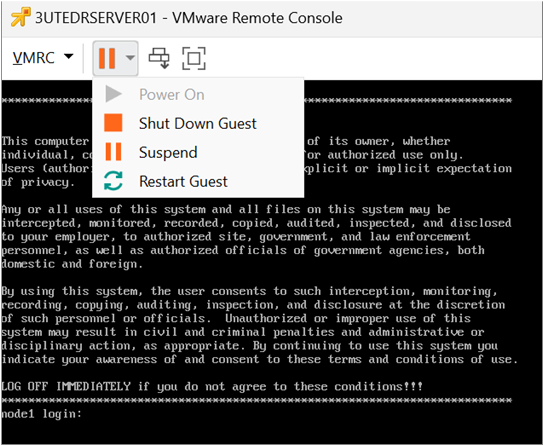
In the hypervisor (such as VMware vSphere, Microsoft Hyper-V, or Nutanix), select the EDR Telemetry Store virtual machine.
Select Shutdown Guest.
Note
A shutdown from the hypervisor triggers the standard shutdown process for the operating system. This process is functionally equivalent to the
shutdown -h nowcommand executed in the CLI.
Method 2: Shutdown via the CLI
Log in to the EDR Telemetry Store virtual appliance using SSH as an administrator:
ssh admin@<IP_address>
Run the following commands to access the system shell:
enable [sudo] password for admin: shell
At the shell prompt, run the following command to shut down the EDR Telemetry Store virtual appliance:
shutdown -h now