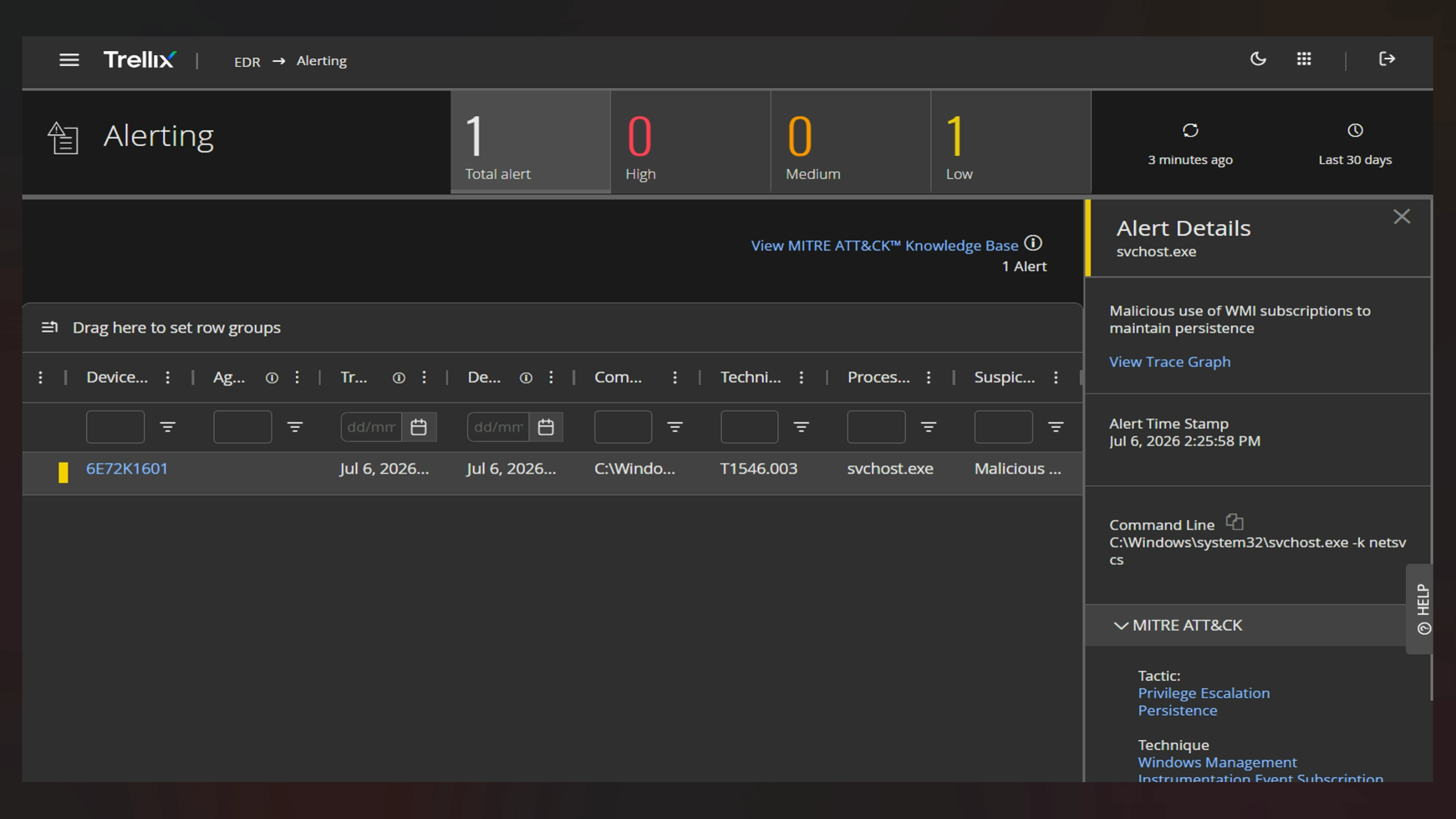
Visual content settings
Inline image: This update is recommended .png) for all environments
for all environments
Mermaid code: Added the image below by inserting the Mermaid code. It is editable, but it is unable to fix the whitespace on the sides. WIP
%%{init: { "graph": { "useMaxWidth": false } } }%%
graph TD
A["[Trellix User Persona] <br> Enterprise User"] -->|Copies/Uploads Sensitive Data| B["[Trellix Shield Icon] <br> Trellix Multi-Vector DLP"]
B -->|Clipboard/Web/Cloud Rules| C{"[Trellix Decision Gateway] <br> Action Taken"}
C -->|Block| D["[Trellix Lock Icon] <br> Access Denied"]
C -->|Monitor| E["[Trellix Database Icon] <br> AI Data Risk Dashboard"]
D -.-> F["[Trellix Cloud Icon] <br> Public AI Platform (ChatGPT/Gemini)"]PNG from Draw.io: This is a .png format of the previous image
.png)
.PNG export from Draw.io_without resizing
SVG from Draw.io: This is a .png format of the previous image

.SVG export from Draw.io_without resizing
PNG from Draw.io: Visio file that was imported into Draw.io. 100% Zoom settings
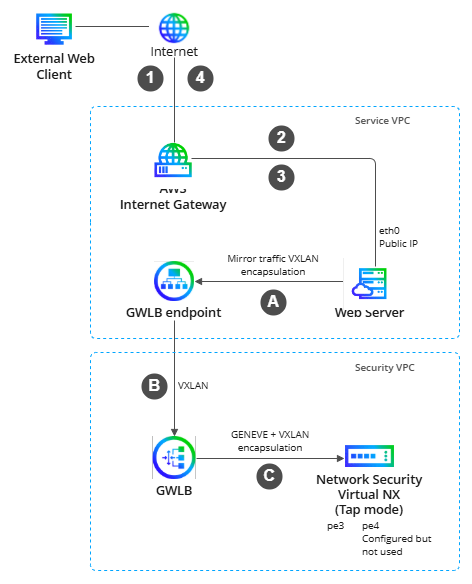
Export to .png
PNG from Draw.io: Visio file that was imported into Draw.io. 120% Zoom settings
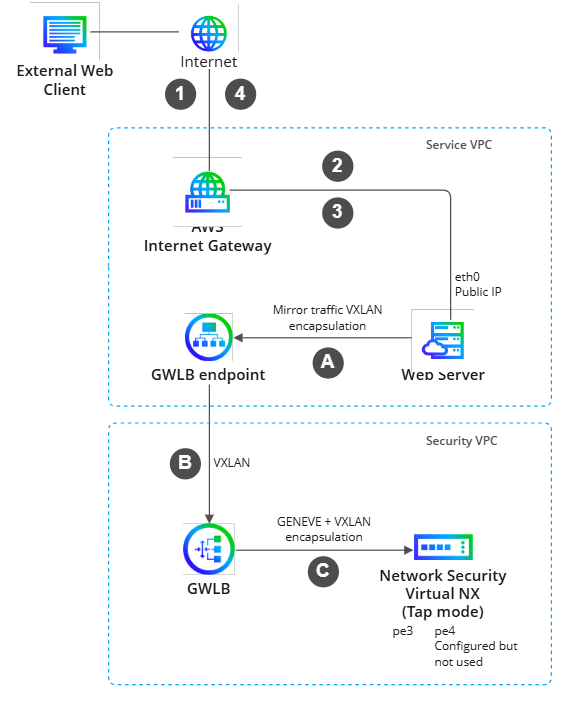
PNG from Draw.io: Visio file that was imported into Draw.io. 200% Zoom settings
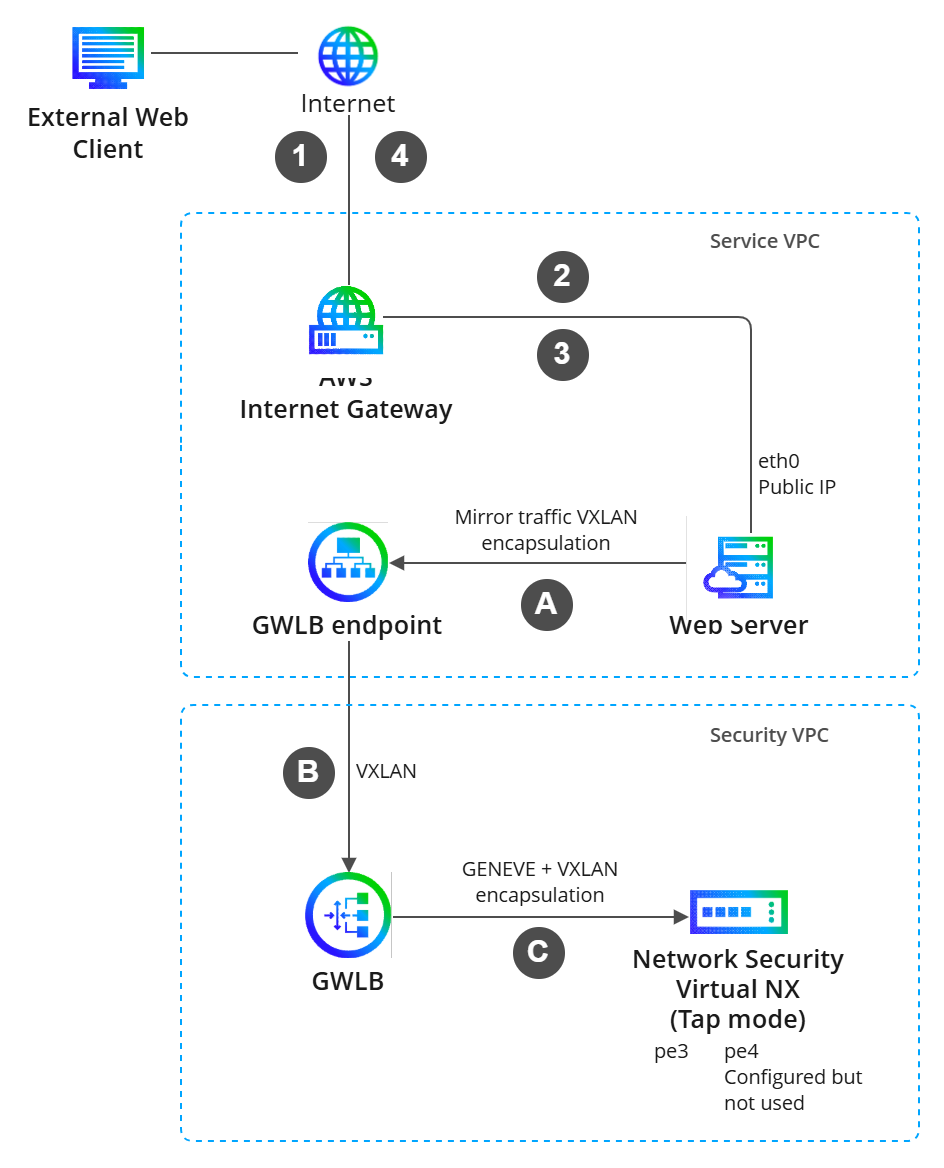
SVG from Draw.io: .svg format of the previous file.

. Apply this update at the earliest convenience.
What's new
This section provides a unified overview of all customer-facing updates introduced in the current release, including new features, feature enhancements, workflow or UI improvements, platform updates, and other significant changes.
[Feature/Enhancement Name]: [Description of what changed, why it matters, and operational benefit for users.]
[Feature/Enhancement Name]: [Description of what changed, why it matters, and operational benefit for users.]
[Feature/Enhancement Name]: [Description of what changed, why it matters, and operational benefit for users.]