The Alerts Summary widget displays the total number of alerts and events for the managed appliances in common categories (such as APT Attacks and Not Seen Before), and in categories that are specific to each type of appliance including Riskware Infection Match.
If a color-coded badge (such as “Network Security“, “File Protect“, or “Email“) appears in the upper left corner of the Alerts Summary widget, all of the alert or event counts are specific to the indicated appliance type.
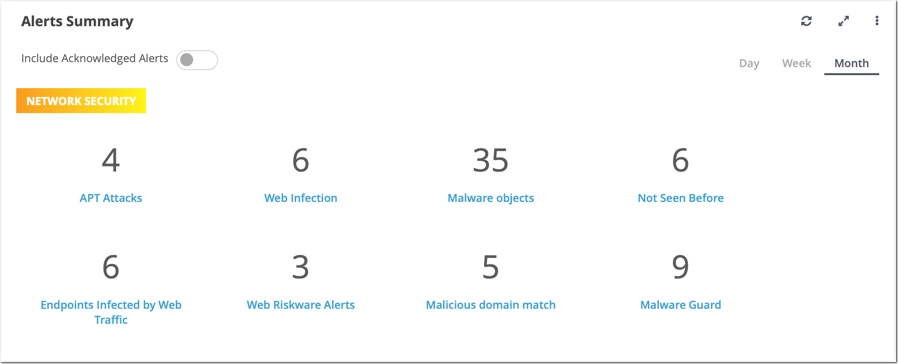
In this example, the widget displays alert and event counts for managed Network Security appliances only.
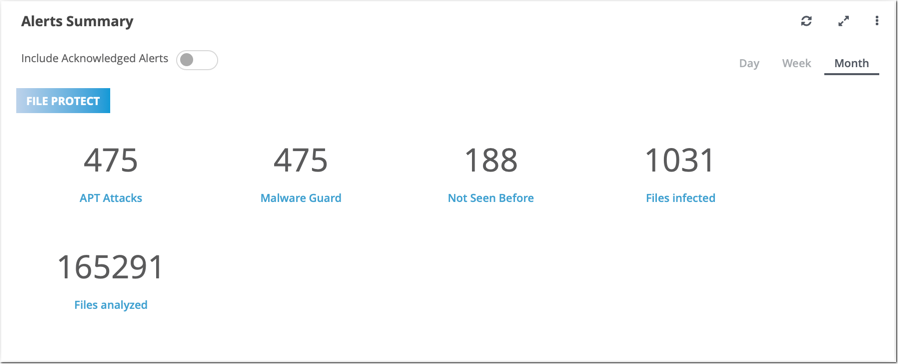
In this example, the widget displays alert and event counts for managed File Protect appliances only.
Note
If none of the alert or event categories is represented, or if no data is available for the selected appliances and time period, the Alerts Summary widget does not appear in the Central Management System dashboard.