Changing the password for your IAM user account
Print
Copy page Copy as Markdown for LLMs View as Markdown View the page as plain text
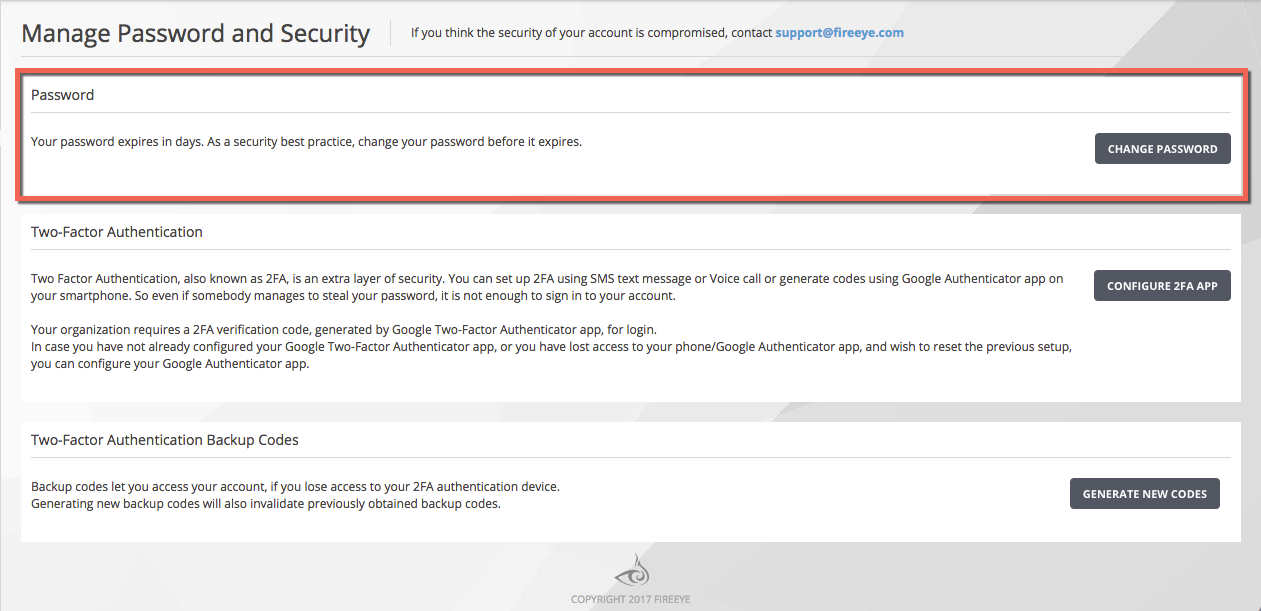
Open in ChatGPT Ask ChatGPT about this page Open in Claude Ask Claude about this page Prev Next Use the Password panel in the Manage Passwords and Security page to change the password for your Trellix IAM account.
Note The link to the enrollment site is tied to your IAM account, and it cannot be used to enroll another user account.
To change your Trellix IAM account password:
Log in to the Trellix IAM Web UI.
Select My Settings > Password & Security
In the Password panel, click Change Password
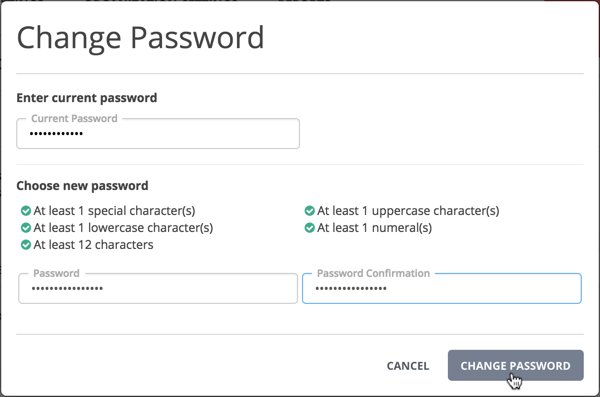
Enter your current password.
Enter your new password.
Enter your new password again.
Click Change Password
Was this article helpful?
Related articles