To configure security settings for the IAM organization, use the Organization Settings page.
You have read and understand Security in a IAM organization and IAM organization settings.
You have chosen values for the organization settings listed at the beginning of this procedure.
You have IAM Admin access to the Trellix IAM Web UI.
Log in to the Trellix IAM Web UI.
Select My Settings > My Organization.
The Organization Settings page displays the settings for the IAM organization.
(Read-only) Verify the read-only information in the Organization Name, Oracle Customer ID, and Salesforce ID fields. This identification information was configured for your IAM organization by Trellix.
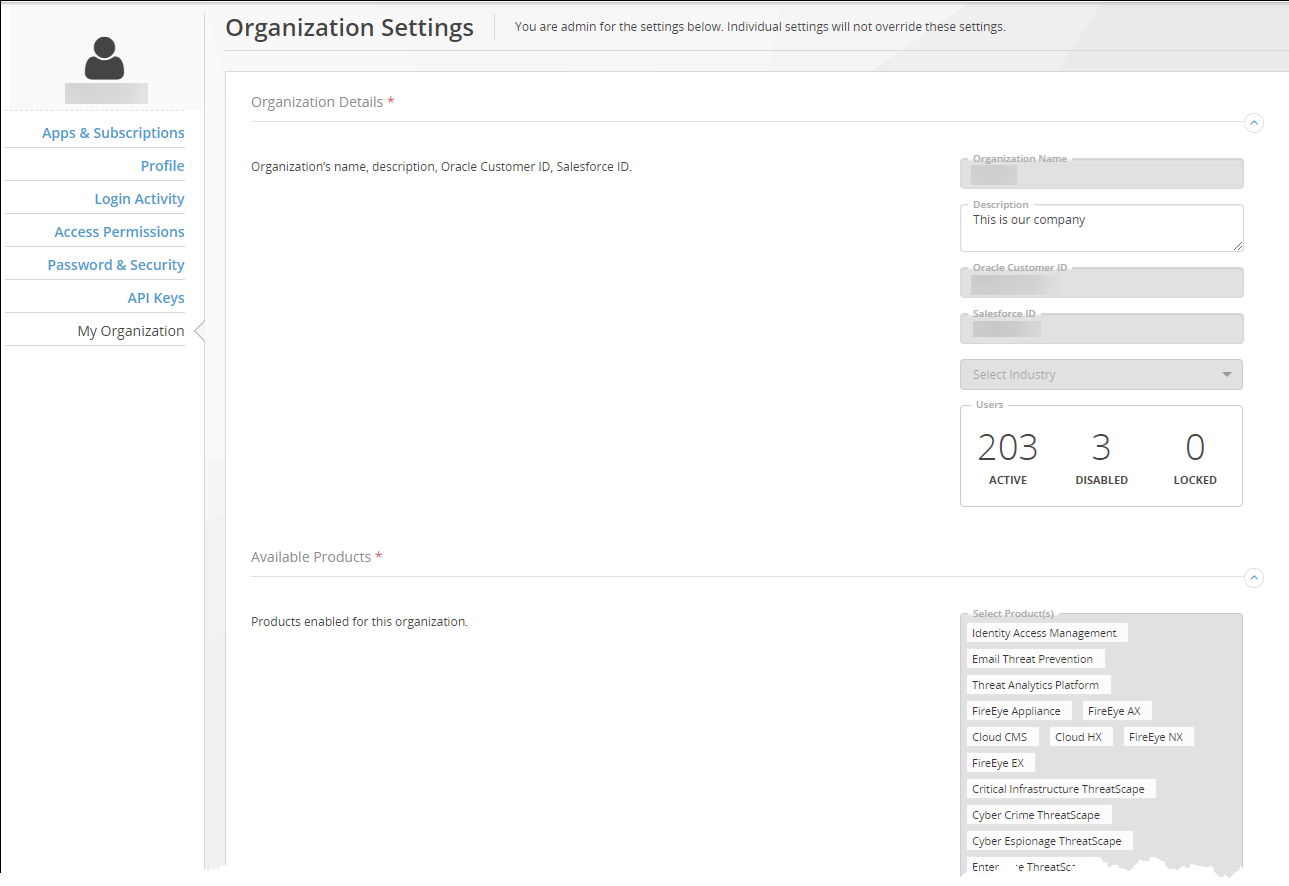
Enter a brief description of your IAM organization.
(Optional) Enter a comma-separated list of email domains allowed for user accounts. The list is empty by default. If no domains are specified, all email domains are allowed.
(Optional) Use the Set the options for two-factor authentication section of the page to configure options for two-factor authentication. Refer to the table in IAM organization settings.
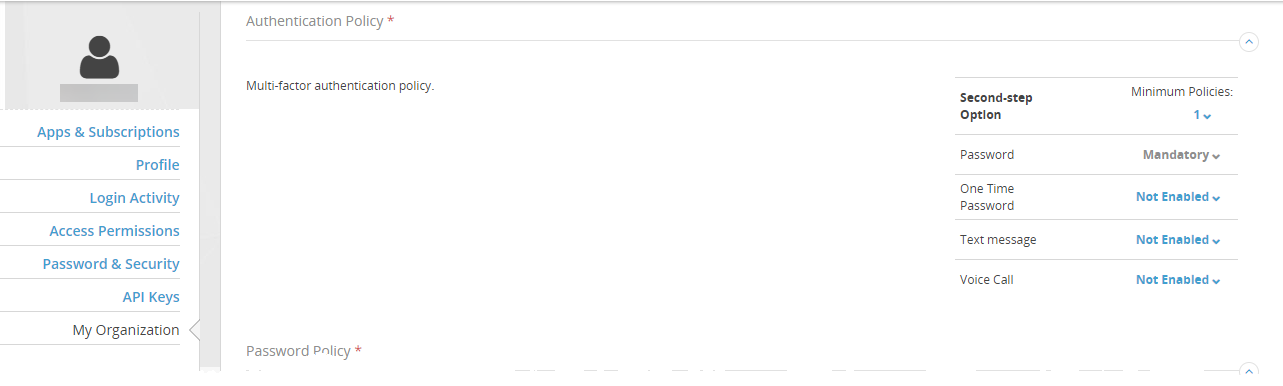
In the Minimum Policies field, select the total number of user identity factors required.
Configure the options requiring users to enter a one-time password (OTP). Google OTPs can be obtained through different devices.
Configure the two-factor authentication policy by setting the values for the device options:
To forego two-factor authentication, leave all of the 2FA options Not‑Enabled and leave the Minimum Policies value set to 1. This is not recommended.
To require users to enter a password obtained through a particular type of authentication device, set that option to Mandatory and increment the Minimum Policies value.
To allow users to enter a password obtain through an authentication device of their choice, set those two or three options to Enabled
(Optional) Customize the user password complexity policy by selecting only the requirements you want enforced. The default Trellix Policy specifies that all of the requirements must be enforced.
Configure the password policy for users in your organization. Refer to the table in IAM organization settings.
(Optional) Customize the following expiration times, as described in the table that begins at IAM organization settings.
Web UI session tokens
User enrollment links
API key
Click Update Organization.