You can control the visibility of network metadata and packet captures (pcap) on your network by mapping Active Directory (AD) groups to specific ranges of VLANs or QinQ tags. Users who belong to particular AD groups can query traffic only within specified VLAN or QinQ ranges. You can also add AD groups to an exception list to allow the group users to access all traffic that is captured.
This feature has the following requirements:
VLAN/QinQ RBAC must be configured on every NDR node that is accessed by users. If all NDR users only use the NDR director, the VLAN/QinQ feature must be configured on the NDR director.
All traffic MUST be tagged with either VLAN or QinQ tags. Traffic without tags will be "invisible traffic" that cannot be viewed by any user.
A user MUST match exactly one AD group mapping. If there are no mappings found, then the search will result in an error (unless the user’s group is in exception list). If there is more than one matching mapping, the VLAN/QinQ selection for the user is undefined (first match wins).
RBAC Configuration menu
This feature requires mapping Active Directory Groups to specific ranges of VLANs or QinQ tags. The mappings are defined in the RBAC Configuration menu in the NDR CLI.
enable configure system rbac
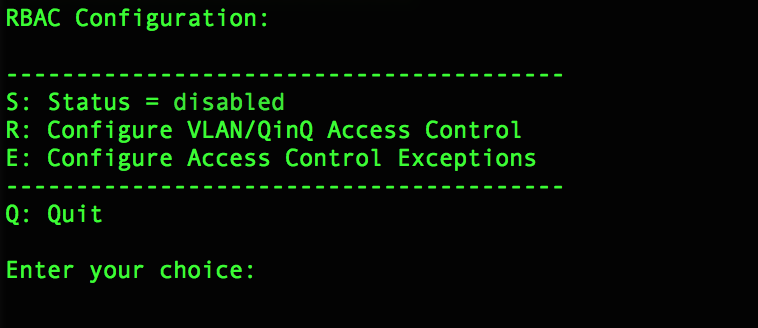
Three options are listed:
Enter S to enable to the feature
Enter R to specify the VLAN and QinQ range to AD group mappings
Enter E to allow exceptions to the access control specifications
Mapping VLAN/QinQ ranges to AD Groups
In the RBAC Configuration menu, enter option R.
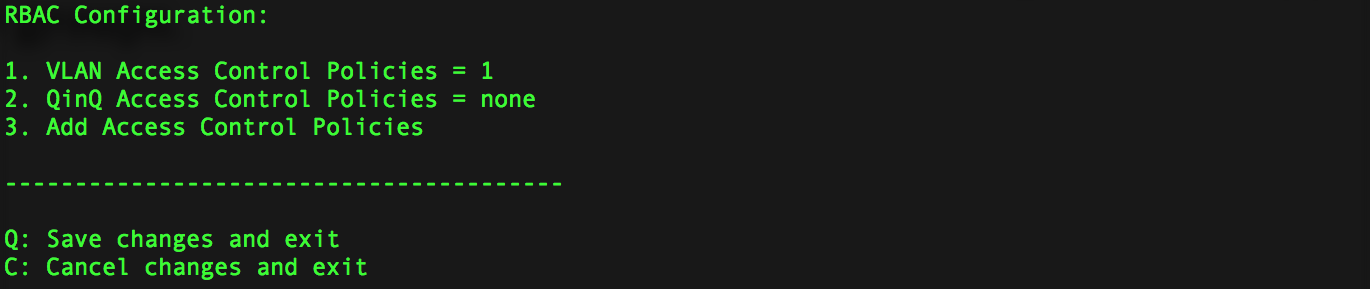
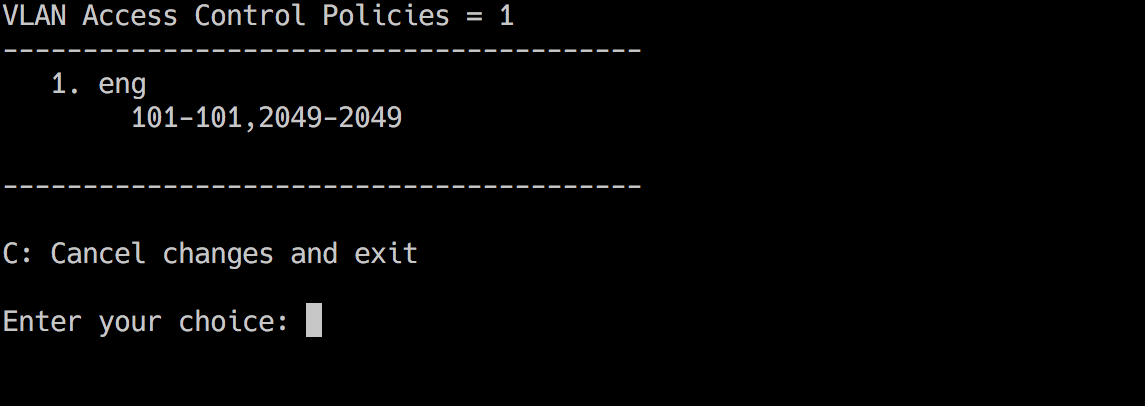
To list the current VLAN Access control policies, select option 1. To list the existing QinQ Access Control policies, select option 2.
Enter 3 to add a new policy.
Enter the desired mapping in the following format:
VLAN mapping:
<group name>, <empty>, <vlan tag>-<vlan tag>For example:
eng,,101-101QinQ mapping:
<group name>, <outer tag>, <inner tag>-<inner tag>For example:
eng-dev,1025,2050-2050
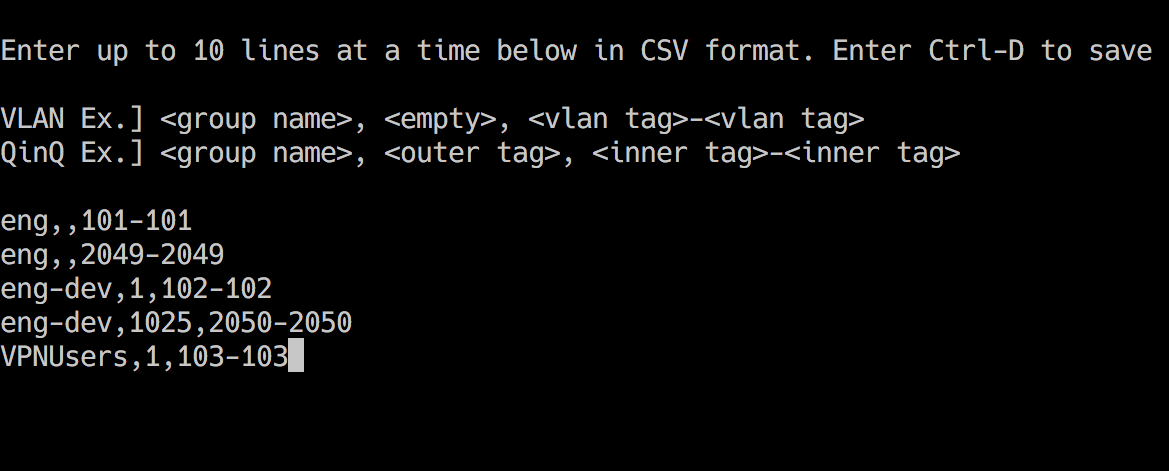
To add multiple access control policies at one time, copy and paste up to 10 rules. Each line should be in CSV format and use the syntax provided in the examples.
When finished editing, enter Ctrl-D to save your changes.
Enter Q on the next screen to commit your changes.
To modify or delete a VLAN or QinQ to group mapping, select the entry number in the VLAN Access Control Policies menu (option 1) or the QinQ Access Control Policies menu (option 2).
When all access controls have been specified, enter S in the RBAC Configuration menu to enable the feature.
Excluding AD Groups from VLAN/QinQ access restrictions
You can exclude an AD group from VLAN/QinQ RBAC, allowing the group's users to see all traffic.
In the top-level RBAC Configuration menu, enter E.
Enter the name of the AD group you want to exclude.
Important
Users in the excluded groups will be allowed to see all traffic captured.