Deploying a signature set
After a signature set is uploaded to your NDR appliance, you can deploy it to your connected PX appliances.
To deploy a signature set to your PX appliances:
Click  and from CONFIGURATION, select Signature Update.
Click the All Appliances tab.
Click the checkbox next to all of the appliances you to want to receive the signature set.
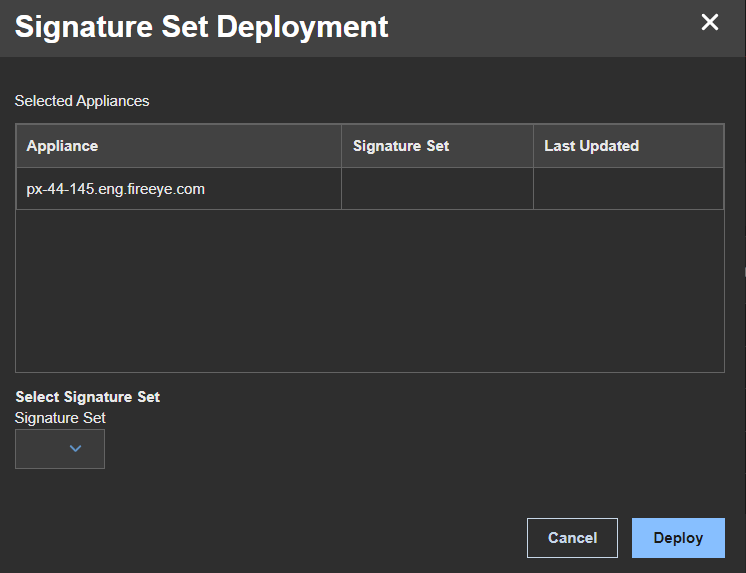
Click Deploy Signature Sets to open the Signature Set Deployment window.
Select the signature set you want to deploy from the Signature Set menu.
Click the DEPLOY button to upload the new signature set to your NDR appliance.
Was this article helpful?
Related articles
Intrusion Prevention System (IPS) > Network Detection and Response (NDR) > NDR 4.x > Network Detection and Response Product Guide 4.x > User management and authentication > Managing signature sets
Intrusion Prevention System (IPS) > Network Detection and Response (NDR) > NDR 4.x > Network Detection and Response Product Guide 4.x > User management and authentication > Managing signature sets
Intrusion Prevention System (IPS) > Network Detection and Response (NDR) > NDR 4.x > Network Detection and Response Product Guide 4.x > Supported Integrations > Integrating with Trellix appliances > Integrating with Trellix PX > Configuring PX Metadata using the Web UI