Use the Appliance Group page to edit your appliance groups by changing the group type or adding or removing NDR and PX appliances from a group.
Important
Appliance groups are static. If your NDR or PX appliance is part of an appliance group and you remove the appliance from your network, it will continue to appear on the Appliance Group page. To ensure it no longer appears on the Appliance Group page, you must remove it from the appliance group.
Click
 and from CONFIGURATION, select Appliance Group.
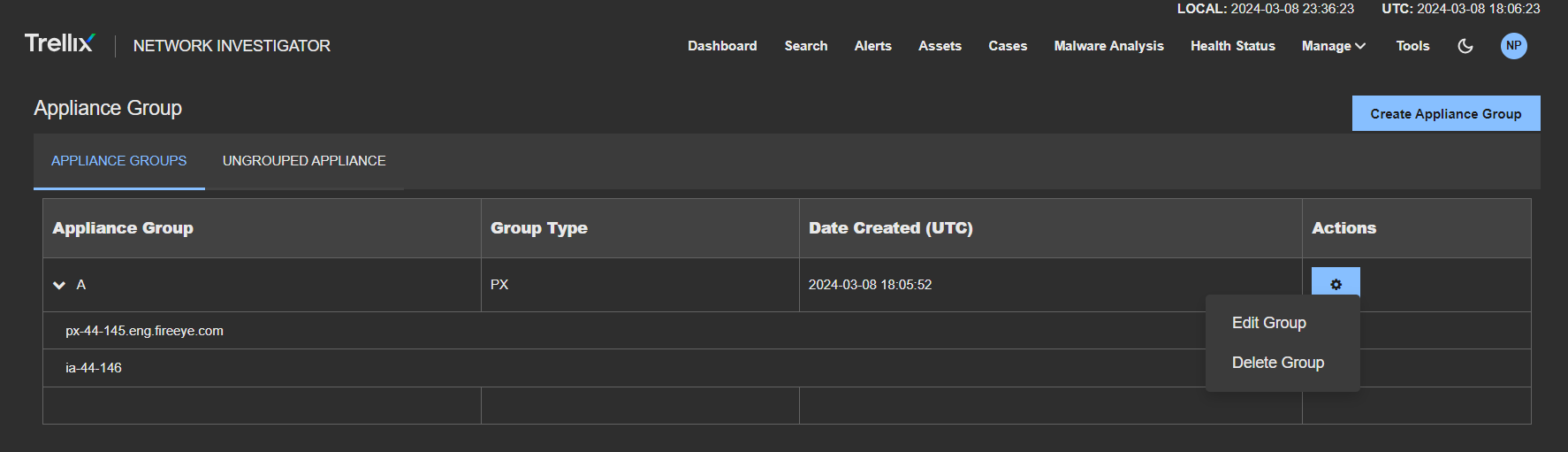
Click the Appliance Groups tab to select the appliance group you want to modify.
Click the Actionsicon to the appliance group you want to modify.
Click Edit Group to open the Create Appliance Group window.
You can change the group type and select to add NDR and PX appliances to the group or deselect remove NDR and PX appliances from the group.
Click Save.