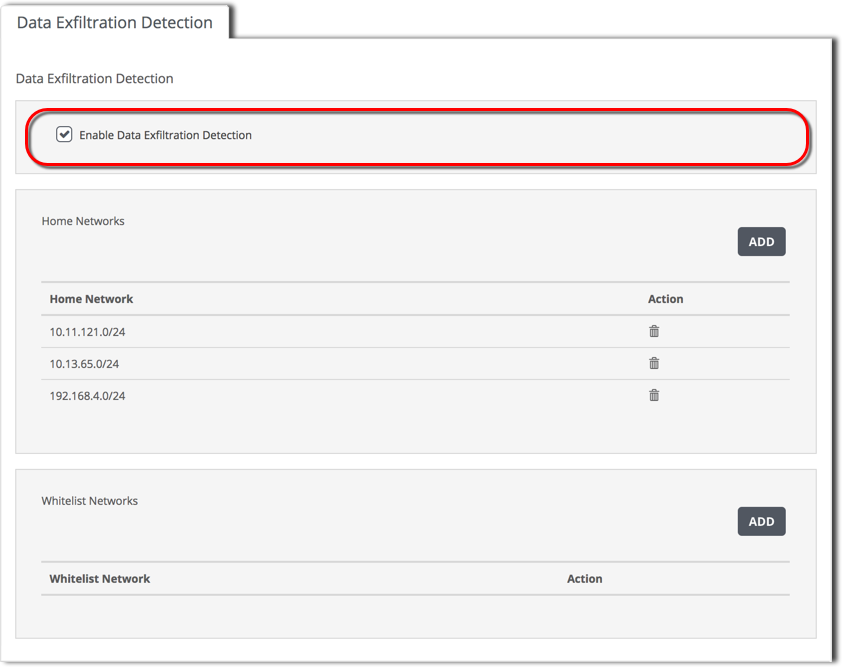
To re-enable data exfiltration detection, use the Data Exfiltration Detection tab.
Prerequisites
Admin access to the SmartVision appliance.
To enable data exfiltration detection:
Log in to the appliance Web UI and select Settings > SmartVision Configuration.
Click the Data Exfiltration Detection tab.
Select the Enable Data Exfiltration Detection option.
Make sure the list of data exfiltration home networks specifies the network hosts whose egress traffic the appliance is to monitor for data theft activity. The home networks are listed in the Home Networks panel.
To update the home networks list, see the following topics:
Network Security (NX) > Network Security SmartVision Feature Guide > Configuring > Enabling and configuring data exfiltration detection > Configuring data exfiltration detection using the Web UI
Network Security (NX) > Network Security SmartVision Feature Guide > Configuring > Enabling and configuring data exfiltration detection > Configuring data exfiltration detection using the Web UI
Network Security (NX) > Network Security SmartVision Feature Guide > Configuring > Enabling and configuring data exfiltration detection > Configuring data exfiltration detection using the Web UI