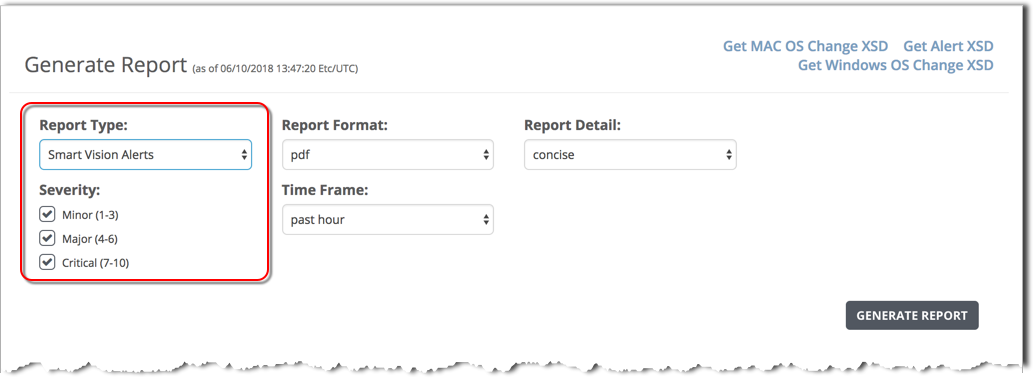
To generate a SmartVision alerts report using the Web UI, use the Generated Reports form and specify the SmartVision Alerts report type.
A SmartVision alerts report can be generated using the Web UI only.
Prerequisites
Admin access to the SmartVision appliance.
To generate a SmartVision Alerts report:
Log in to the appliance Web UI and select Reports > Static Reports.
In the Report Type field, select SmartVision Alerts.
In the Report Format field, select the output format:
pdf
csv
both
In the Report Details field, select the level of detail:
concise—Report the information in the alerts main page.
extended—For each alert specified, report the system-generated UUID and the information in the alert Details view, including the details for each base event.
In the Severity field, select the alert severity levels to include in the report:
Minor (1 – 3)
Major (4 – 6)
Critical (7 – 10)
In the Time Frame field, select the time period for this report:
past day
past week
past month
past 3 months
between start_date <yyyy>/<mm>/<dd> start_time <hh>:<mm>:<ss> end_date <yyyy>/<mm>/<dd> end_time <hh>:<mm>:<ss>
Click Generate Report.
After the report is generated, the report file name is added to the top of the Generated Reports list.