IAM User access to the IAM Web UI allows the user to manage personal information, set user preferences, manage their password, and generate backup codes for two-factor authentication.
Note
IAM User is a global role, and it cannot be modified or deleted.
Unlike the IAM Admin role, the IAM User role is limited to read-only access to IAM organization settings, user access control policies, user groups, and other user accounts. The IAM User role has no visibility to API keys created by other accounts, OIDC clients, IAM audit events, or other IAM organizations.
Viewing the roles and entitlements
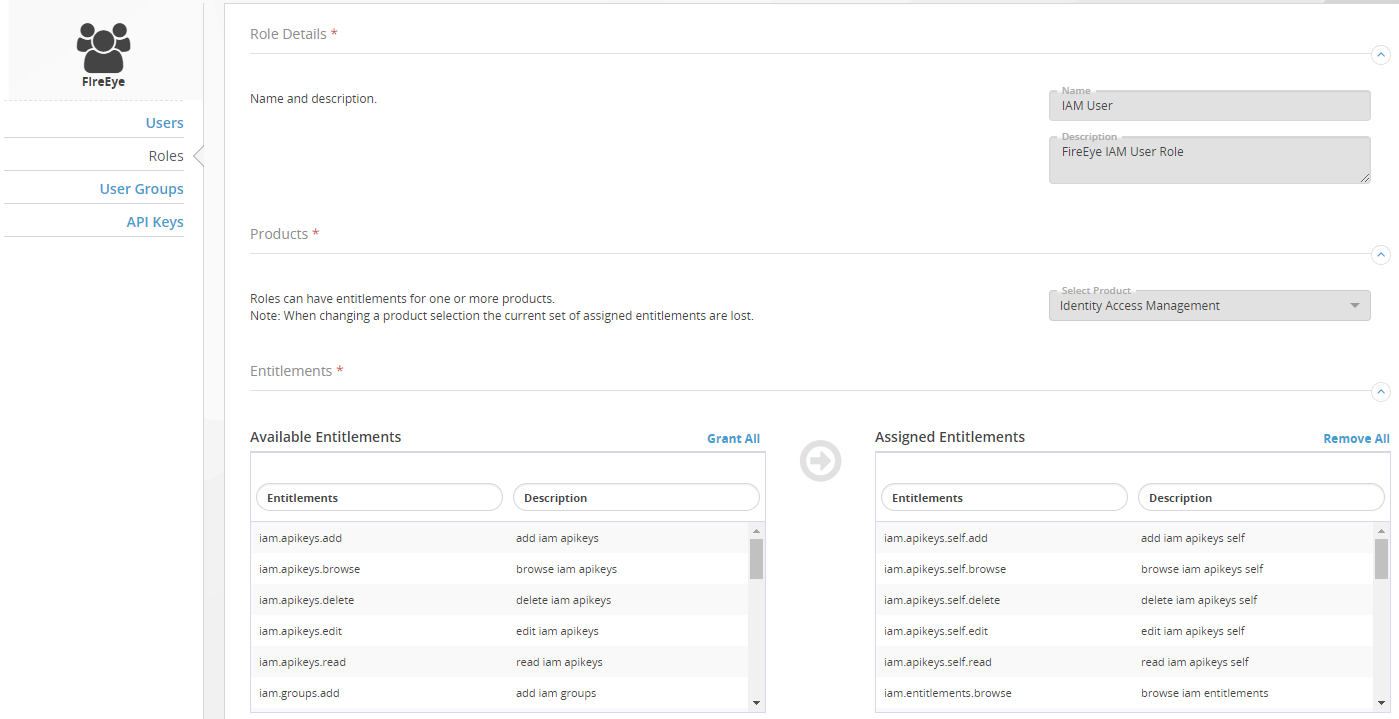
To view the entitlements assigned to the role, filter the list of roles to show only IAM Web UI roles, and then drill down from the IAM User role to its component entitlements.
Requirements
To view the entitlements associated with the IAM User role:
Log in to the IAM Web UI.
Select Organization Settings > Roles. The Roles page lists the IAM global roles and custom roles in your IAM organization.
Filter the list on the Description column, specifying the match sting
IAMin all uppercase letters. (The filter is case-sensitive.) The list refreshes and shows only the roles that grant access to the IAM Web UI.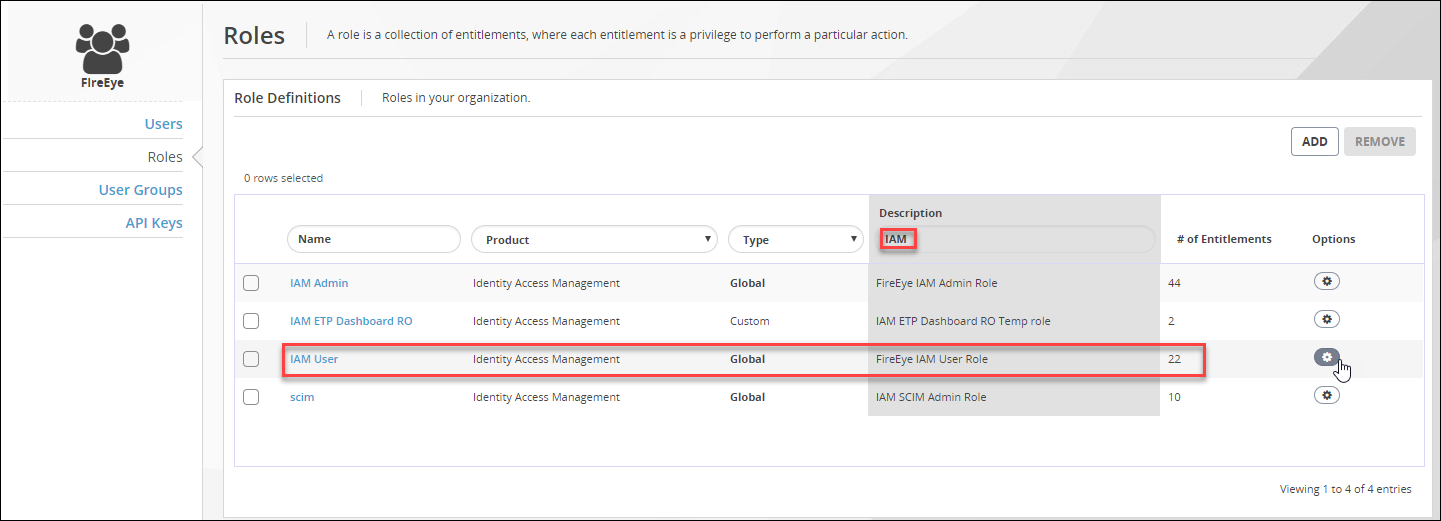
Click IAM User in the Name column.
The Assigned Entitlements panel lists the entitlements assigned to the role.