includes client software and one or more brokers that allow bidirectional communication between endpoints on a network. The client is installed on each managed endpoint so that threat information can be shared immediately with all other services and devices, reducing the spread of threats.
Integrating Intelligent Sandbox with enables Intelligent Sandbox to send the analysis report of the samples analyzed at Intelligent Sandbox to the broker. Analysis reports of samples that meet the following are sent to :
Portable executable (PE) files with a severity score greater than or equal to 2
Non-PE files with a severity score greater than or equal to 3
These analysis reports are published to a topic located at /mcafee/event/atd/file/report on the broker. Clients such as Security Information and Event Management (SIEM) that subscribe to this topic can fetch analysis reports from broker to build a robust security reputation database. Subscribing clients can refer to this database and treat files entering their network according to the analysis report of the files.
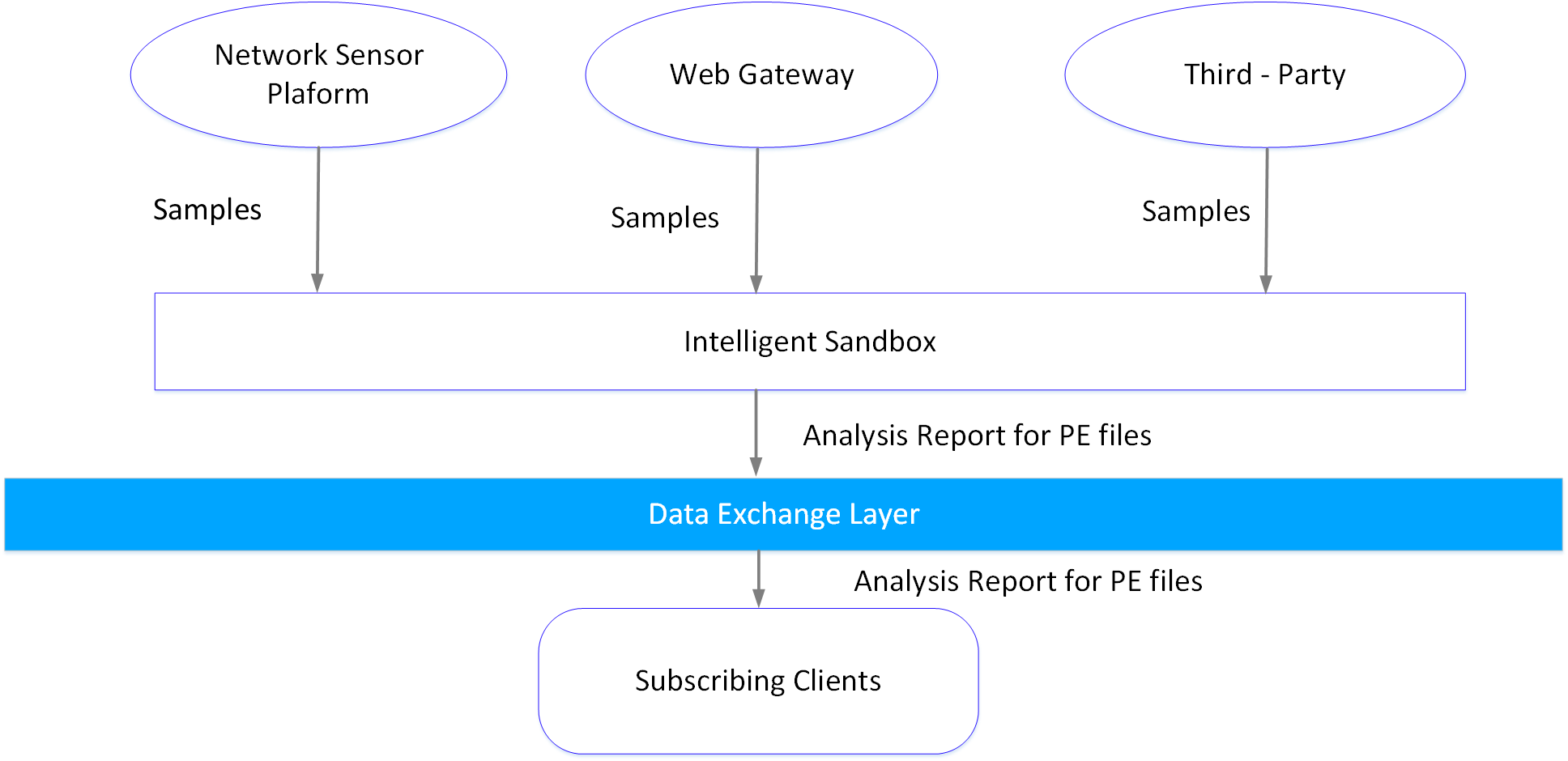
Intelligent Sandbox gets the sample files from different channels like Trellix IPS, Web Gateway, and so on for analysis.
The analysis summary is then sent to the broker for further on-demand distribution to subscribing clients.
The following diagram explains Intelligent Sandbox and integration.
 |
If you want your Intelligent Sandbox to have exclusive rights to publish on the Intelligent Sandbox topic, then you must install the ATDDXLTag_5221.zip extension on ePO - On-prem. This restricts publishing on the Intelligent Sandbox topic by any other sender.