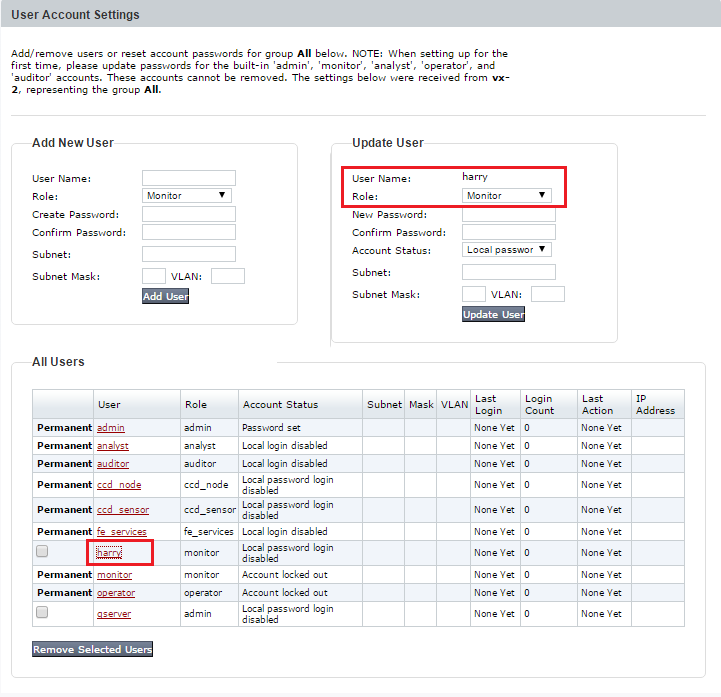
Use the User Account Settings page to set the account status for a user.
Note
The VX Series appliance has a CLI, but it does not have a Web UI. The recommended method for this configuration on a VX Series appliance is through the managing Central Management System appliance Web UI.
Note
This example is from a Network Security appliance, but the Account Status setting is representative of other appliances as well.
Prerequisites
Admin access
To set an account status:
Click the Settings tab on all products other than the Endpoint Security (HX) appliance. Select Appliance Settings from the Admin menu on the Endpoint Security (HX) appliance.
Click User Accounts on the sidebar.
Click the user name in the User column.
In the Update User section, select an account status from the Account Status list.
Central Management System (CMS) > Central Management System System Administration Guide Release 10.x > Appliances > Working with reports for managed appliances > Generating and scheduling reports for managed appliances