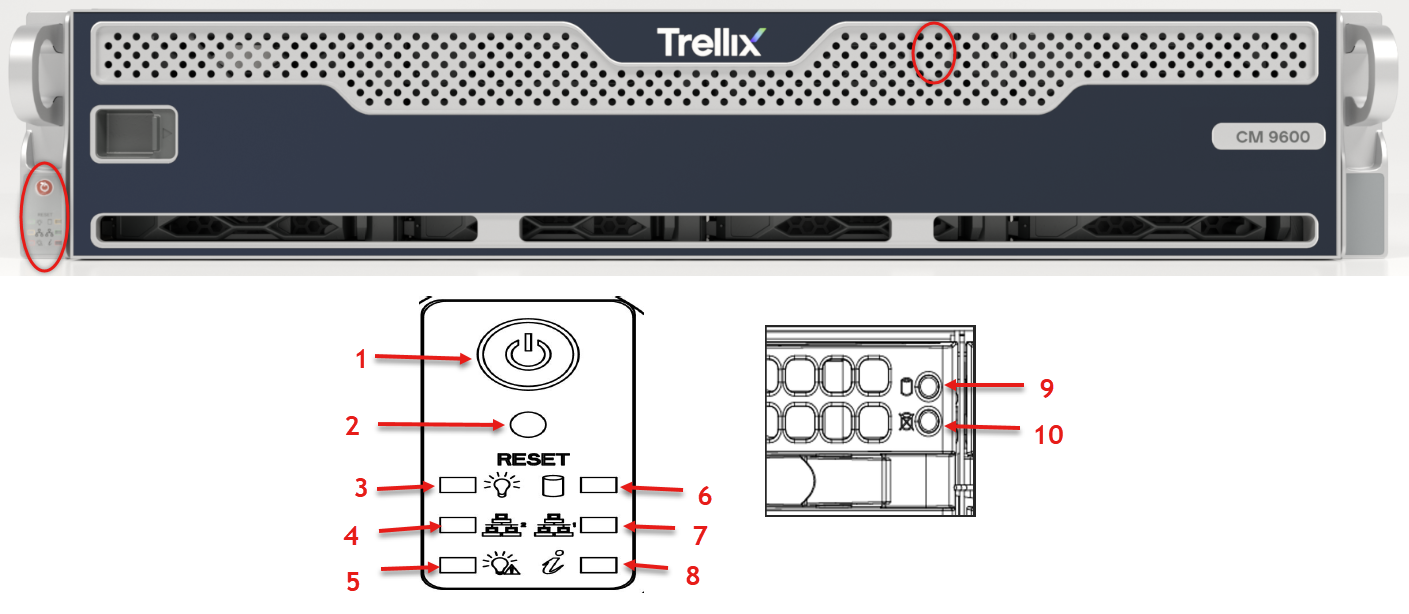
Drive Carrier LED Indicators
The chassis includes externally accessible SAS/SATA drives. Each drive carrier displays two status LEDs on the front of the carrier.
The chassis includes externally accessible SAS/SATA drives.
Each drive carrier has two LED indicators: an activity indicator and a status indicator.
Green: When illuminated, this LED indicates drive activity. It blinks on and off when that particular drive is being accessed This function is controlled by the backplane.
Red: When illuminated, this LED indicates a drive failure. You should be notified by your system management software.
Chassis
.PNG "X12SPW_Chassis.png")
Disk Drive Carrier: Each carrier can house a hot-swappable disk drive. A drive slot map displays the disk slot numbers on top of the appliance.
Handle Release: Press this tab to release the handle. Use the handle to pull the disk drive carrier from the chassis.