Use these instructions to configure the Central Management appliance to send notifications to Helix Enterprise.
Prerequisites
The Central Management appliance must have an established connection to the Internet.
You must have admin access to the Central Management appliance.
To configuring Rsyslog settings:
Use the Rsyslog Settings area on the CM Settings page to set up the default configuration for rsyslog notifications. To configure rsyslog notifications:
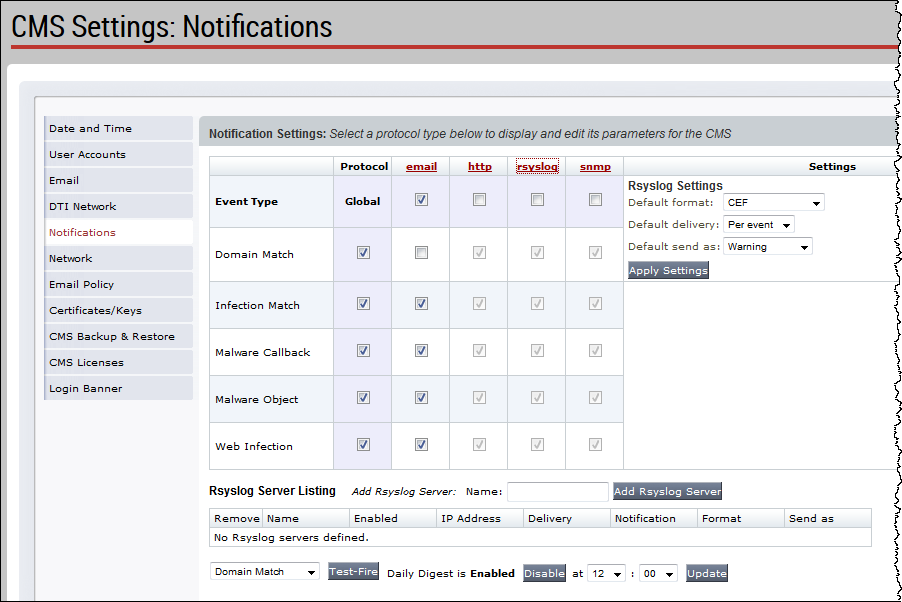
On the Central Management Web UI, select the Settings tab.
Select Notifications on the side bar.
Click the rsyslog column heading to display the Rsyslog Settings area in the Settings column.
Select Common Event Format (CEF) in the Default format drop-down list box.