You can view the status of storage in the Status column in the Currently Configured Storage section of the Configure Storage page.
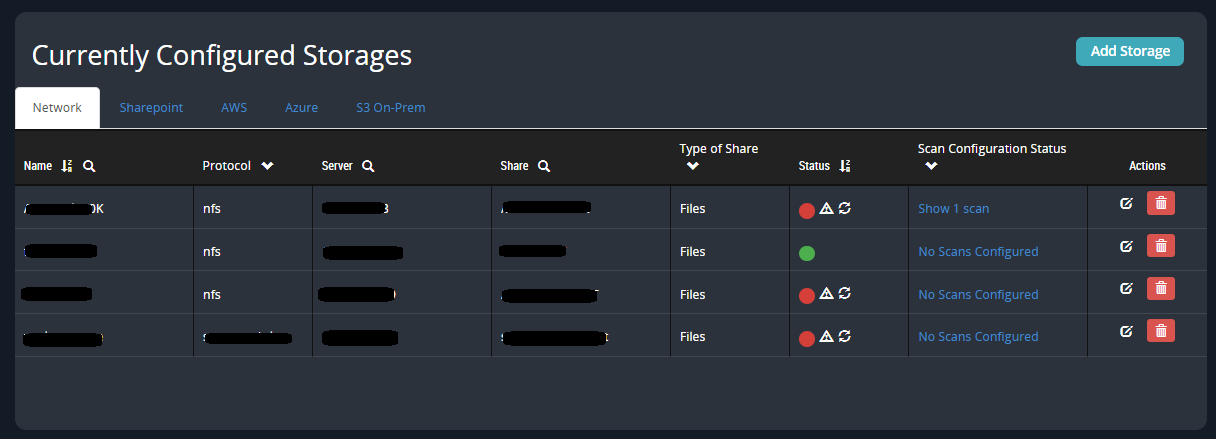
If storage was added successfully, a green icon is shown.
While storage is being added, a yellow icon is shown.
If storage failed to be added, a red icon is shown.
To view information about storage with yellow or red status, hover over the .png "FX_StatusMsg_icon.png") icon. If the storage is being added, a "Share is being mounted" message is displayed. If there is an error, a message that identifies the problem is displayed.
icon. If the storage is being added, a "Share is being mounted" message is displayed. If there is an error, a message that identifies the problem is displayed.
If storage becomes inaccessible, you can click the .png "FX_Reattach_icon.png") icon to remount it.
icon to remount it.
The causes of errors include lack of permission to the file system, system errors, timeouts, and so on. These are standard file system mounting errors; refer to your file system documentation for troubleshooting information.