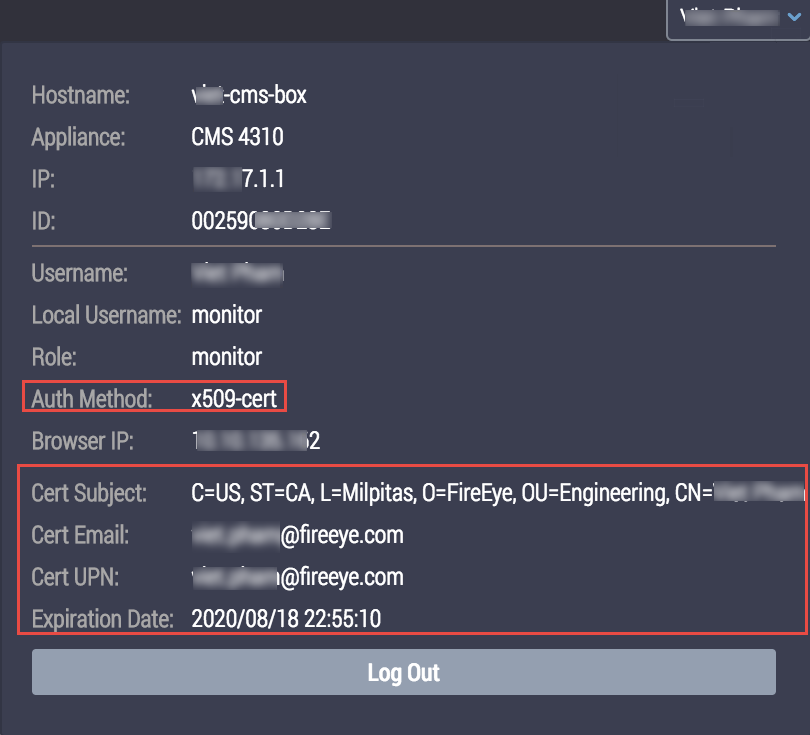
Use the control at the top right corner of the Web UI page to view the user authentication status that the appliance extracted from the configured certificate fields. The Auth Method field is set to the x509-cert value.
To verify certificate authentication status:
Log in to the Web UI.
Click your username at the top right of the page.
Verify that the following certificate fields are displayed and configured correctly:
Cert Subject
Cert Email
Cert UPN
Expiration Date
To close your session, click Logout.
Note
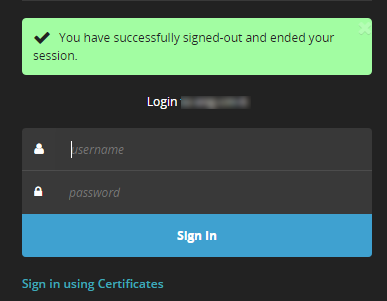
The log out message will not be displayed if it is disabled. Use the
aaa authentication logout user-message enablecommand to display the log out message. For details about how to enable the log out message setting, see Enabling or disabling the log out message setting using the CLI.