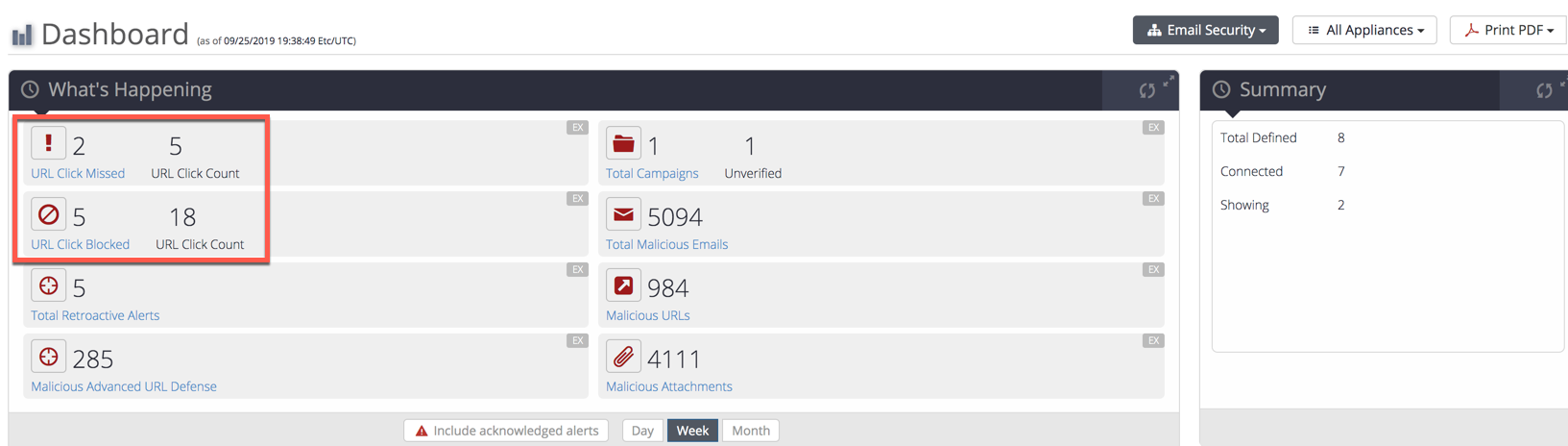
Use the Dashboard page to view the total number of missed and blocked URL click events.
In this example, the following URL click events were reported for the week:
2 URLs were reported missed and 5 click timestamps were reported for these URLs.
5 URLs were reported blocked and 18 click timestamps were reported for these URLs.
To view the URL click event details:
Click URL Click Missed or URL Click Blocked.
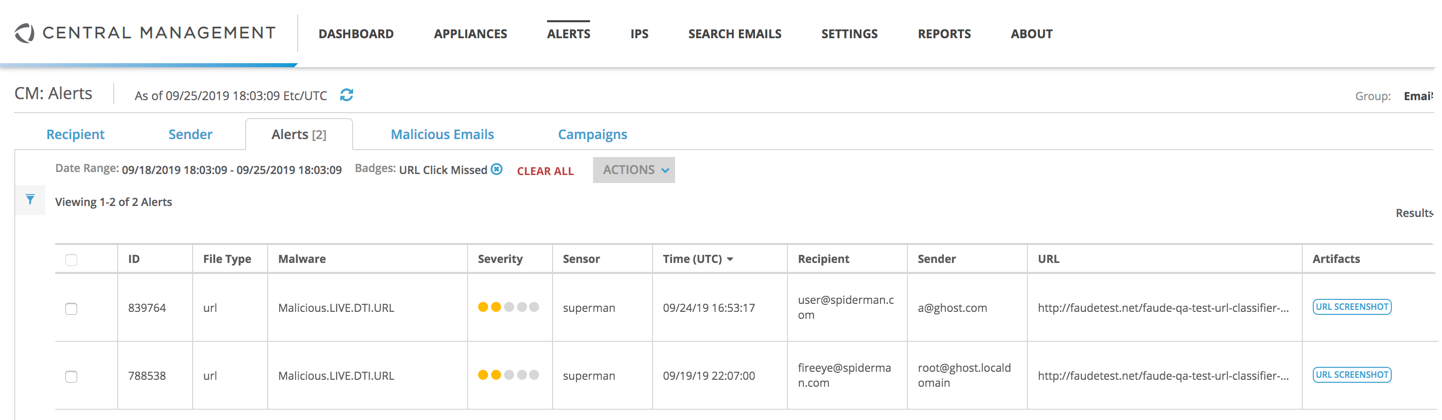
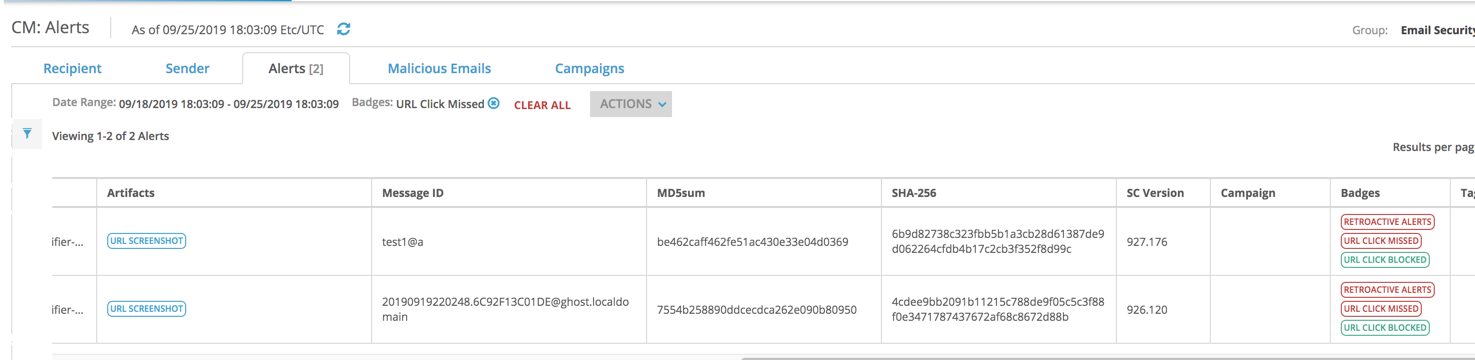
The eAlerts > Alerts page is displayed. This example is displayed after URL Click Missed is selected.
This example displays the URL click badges for the alerts.
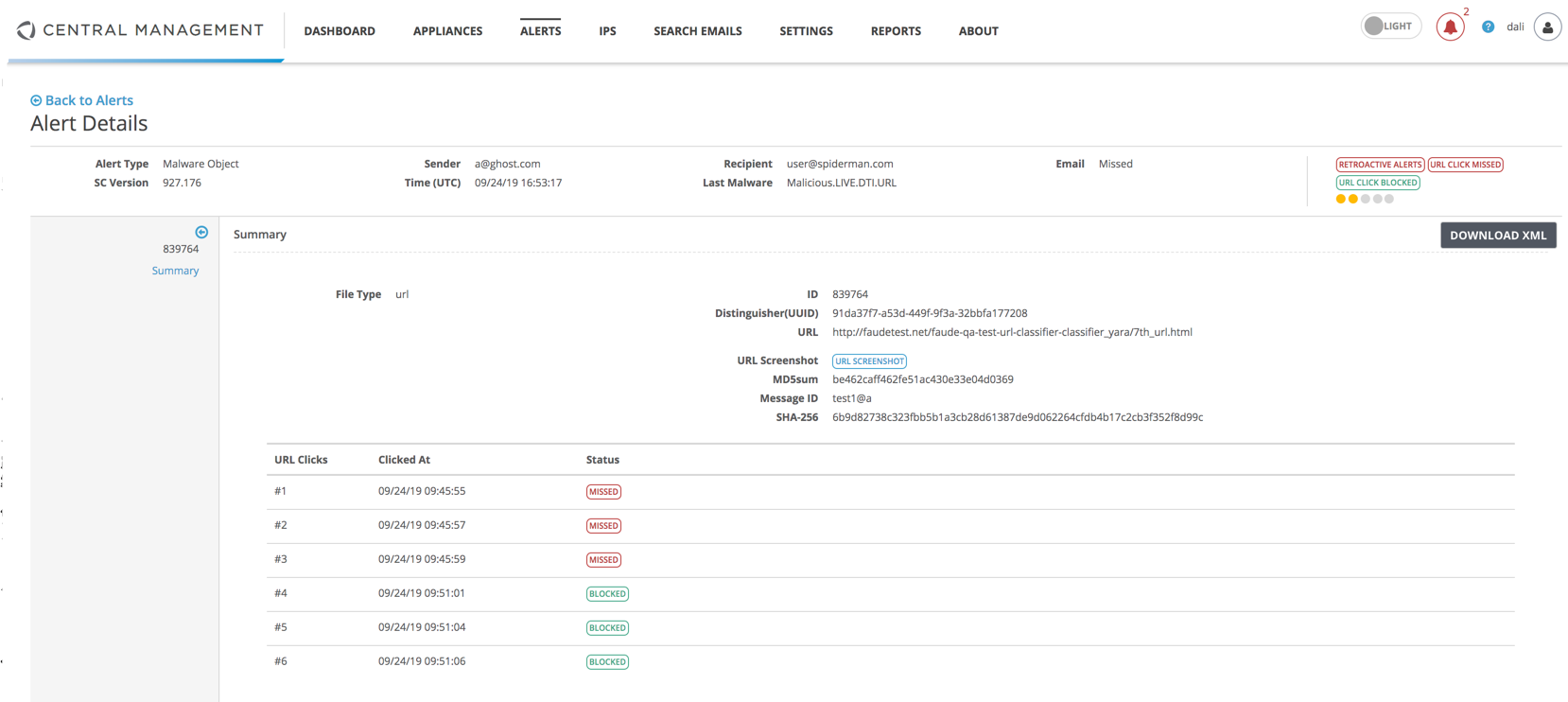
Click on an alert to display a summary of the alert details along with a table itemizing the URL clicks, the URL click time stamp, and the missed or blocked URL click status.
Note
For detailed information about the URL click reporting feature, see the Email Security — Server User Guide
Central Management System (CMS) > Central Management System System Administration Guide Release 10.x > Overview > The Central Management System appliance dashboard > Central Management System dashboard widgets
Central Management System (CMS) > Central Management System System Administration Guide Release 11.x > Appendices > Configuring the CM peer service > Central Management System Peer Distributed Correlation
Central Management System (CMS) > Central Management System System Administration Guide Release 11.x > Overview > The Central Management System appliance dashboard > Central Management System dashboard widgets