To create a bootable USB image from the ISO on Windows, you will need an imaging software such as Rufus or Yum.
Important
Trellix does not certify or recommend any particular software application for the purpose of creating a bootable USB image.
The following procedure is provided for demonstration purposes only, using Rufus.
To create physical media from the ISO on Windows:
Download and run the Rufus imaging tool:
https://rufus.akeo.ie/Click the CD icon to select the ISO from which to create the USB.
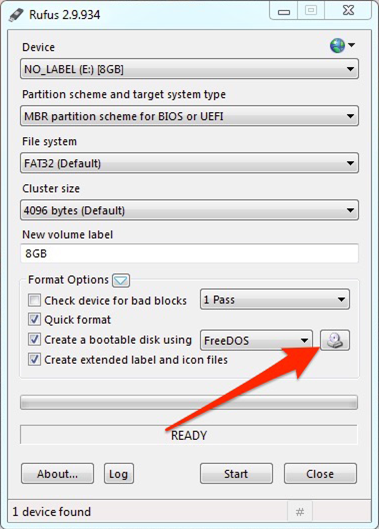
Click Start.
Choose Write in DD Image mode as the method to create the USB image.
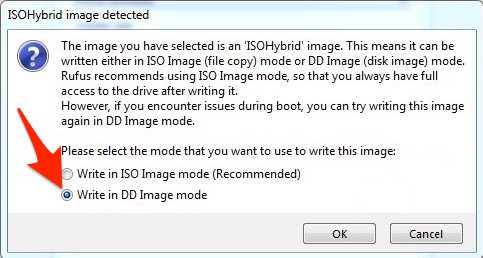
Click OK.