Use the instructions in this topic to acquire process detail data from a host using the Endpoint Security (HX) Web UI. You can request a Process Detail data acquisitions only for a triage of the host.
Analyst, Senior Analyst, Investigator, or Admin access
A triage must already be acquired for a Windows, macOS, or Linux host endpoint.
On the Acquisitions page, select a triage acquisition for which you want to acquire process detail data.
In the Acquisition Detail area of the page, select Triage Summary.
The Triage Viewer opens.
Select the process for which you want to acquire process detail data. You can also select the process later in the Acquire Process Details dialog box.
Select Acquire process details.
The Acquire Process Details dialog box appears. If you already selected a process, it already shown when the dialog box opens.
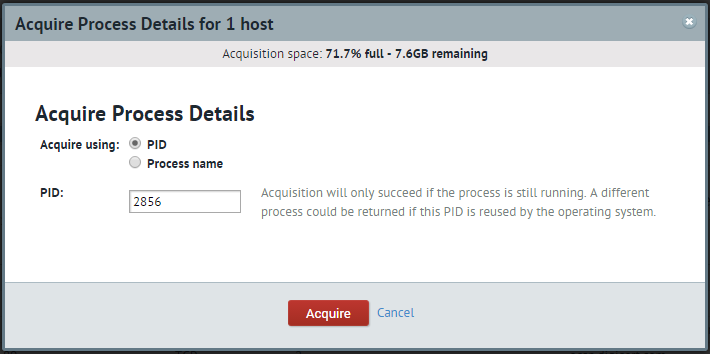
Select either PID (process ID) or Process name and enter the process ID or name.
Click Acquire.
You can monitor the status of the Process Details acquisition request in the Status column of the Acquisitions page. The status changes from Requested, to Acquiring, and then to Acquired when the acquisition is ready.
For more information about acquired forensic data, read Downloading forensic data and Reviewing forensic data in Redline.