Use the Settings > Impersonation page to add impersonation detection rules in the Web UI. An impersonation rule should be set for each individual who may be likely to be impersonated, such as an executive. Add all valid names and email addresses for that individual in a single rule.
Prerequisites
An established connection between the Email Security - Server appliance and the Internet.
You are logged in to the Web UI with Admin and Operator access.
Enable riskware alert policy rules using the Web UI:
65027, High Confidence Email Impersonation Weights 80-99 Matched65028, Low Confidence Email Impersonation Weights 50-79 Matched
Go to the Settings > Impersonation page.
Click Add.
Specify all valid names and email addresses for an individual, separating multiple entries with commas.
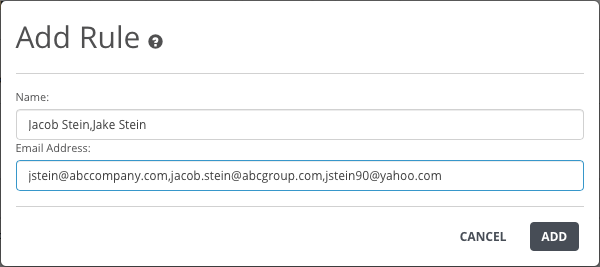
Click Add.