Configuring SNMP settings Published on Aug 24, 2026
Print
Copy page Copy as Markdown for LLMs View as Markdown View the page as plain text
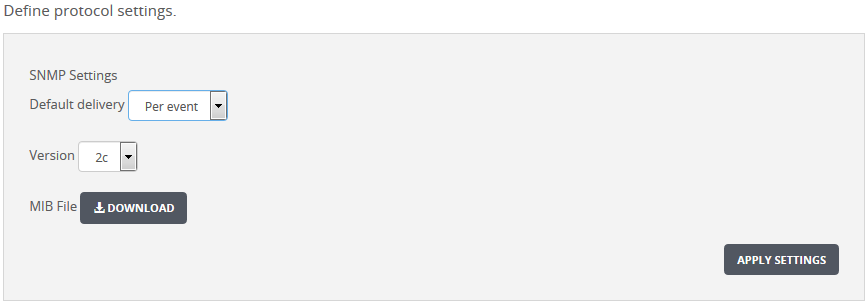
Open in ChatGPT Ask ChatGPT about this page Open in Claude Ask Claude about this page Prev Next Use the SNMP Settings area to set up the default configuration for SNMP notifications.
To configure SNMP notifications:
On the Web UI, select the Settings tab.
Select Notifications on the side bar.
Click the SNMP tab to display the Define Protocol Settings area.
Select the SNMP version (1 or 2c ) to use for the notification in the Version drop-down list box.
If you need the MIB file, click Download . If you are prompted for confirmation, click Save .
To apply the SNMP settings, click Apply Settings .
If you do not click Apply Settings , your changes are lost.
Was this article helpful?
Related articles