You can deploy the Email Security — Server appliance in your network in one of the following ways:
Important
Trellix recommends the Message Transfer Agent (MTA) /Block deployment mode. See Analysis modes for details and an evaluation of each mode.
Note
For information about the hardware configuration and cabling for each deployment mode, see the Email Security - Server Hardware Administration Guide. For information about configuring the Email Security — Server appliance to operate in the proper analysis mode, see the topics referenced in the following sections.
Message Transfer Agent (MTA) deployment
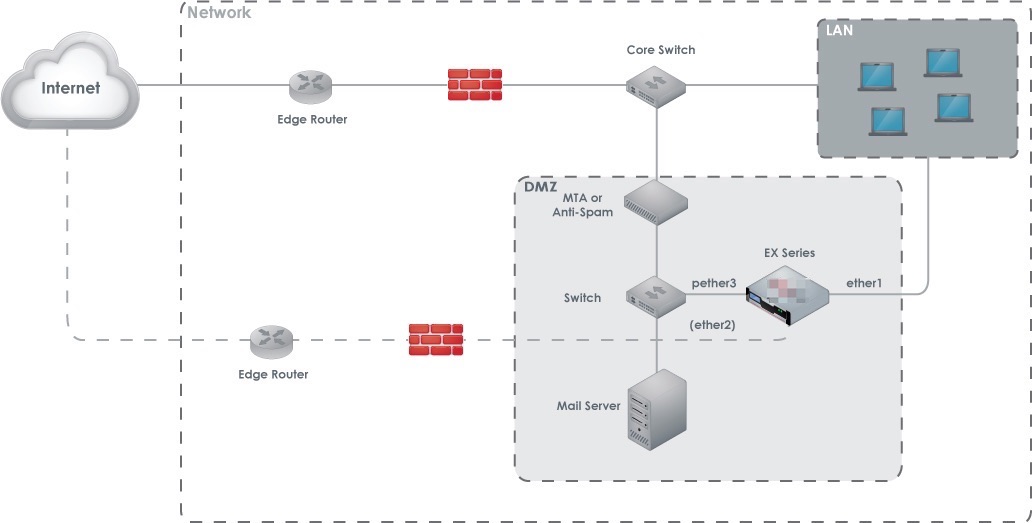
In MTA deployment mode, the Email Security — Server appliance serves as an MTA inline with the email traffic flow. It extracts emails from an anti-spam device or MTA for analysis. The Email Security — Server appliance can be configured in either Block or Monitor analysis mode. In Block mode (the default), the appliance prevents malicious emails from passing through to the mail server, so the email is not delivered to the intended recipient. In Monitor mode, all email is passed through to the mail server, so malicious emails are delivered. For details, see Block analysis mode and Monitor analysis mode .
The following diagram illustrates the MTA deployment in a typical network environment.
BCC deployment
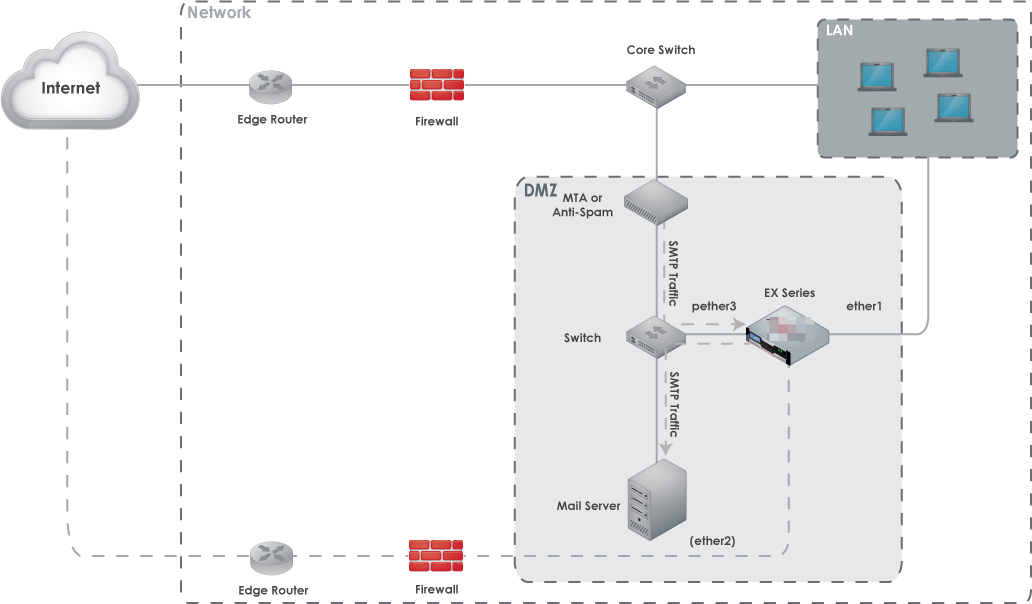
In BCC deployment mode, the Email Security — Server appliance extracts copies of emails from an anti-spam device or MTA for analysis. The appliance is configured in the Drop analysis mode, and it is not involved in the delivery of the emails to their intended recipients. For details, see Drop analysis mode .
The following diagram illustrates the BCC deployment in a typical network environment.
SPAN/TAP deployment
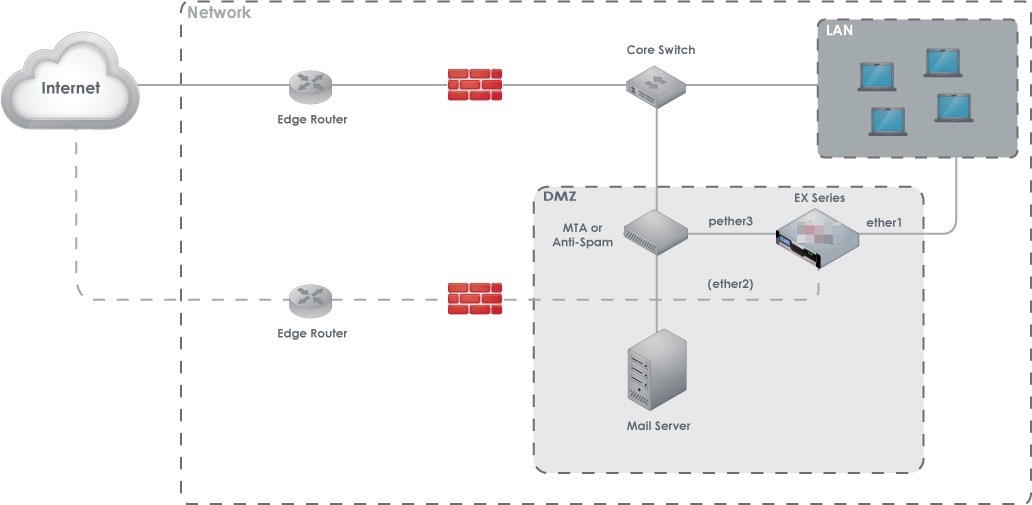
In SPAN/TAP deployment mode, the Email Security — Server appliance is connected to a network switch capable of mirroring traffic. The network switch is typically located upstream from the mail server but downstream from the anti-spam device or MTA. The appliance is configured in Tap/Span analysis mode, where the appliance listens passively for SMTP traffic and extracts copies of emails from it for analysis. For details, see TAP/SPAN analysis mode.
The following diagram illustrates the SPAN/TAP deployment in a typical network environment.