The Enforce domain rewrite feature allows domains to be rewritten which otherwise will be skipped from being rewritten. Well known and high reputation domains are excluded from the domain rewrite action. If you need to rewrite specific domains, you can list such domains under the Enforce Rewrite tab.
Note
Your entry should be the full URL or only the hostname. Partial URLs or URLs with wildcard characters will not be accepted.
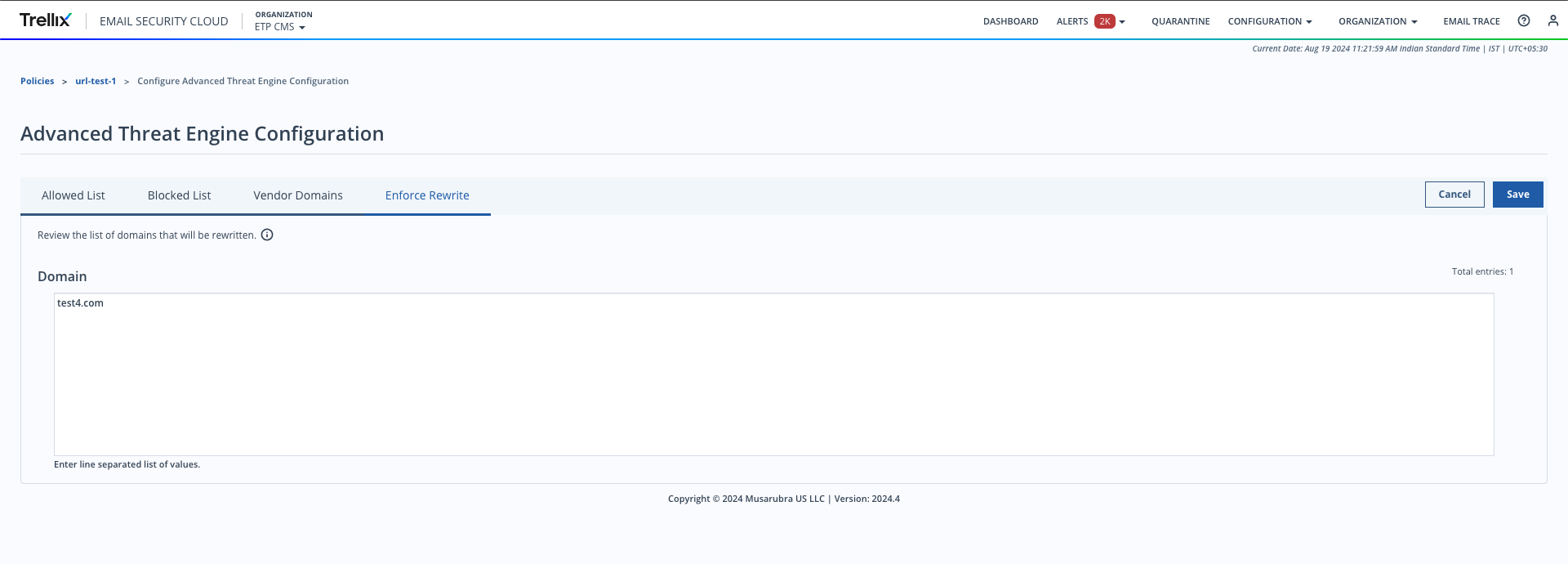
To add domains to the Enforce Rewrite list:
Go to Configuration > Policies.
Select an advanced threat engine configuration policy.
Next to Configuration, select Manage.
This section also displays the number of URLs added to Enforce Rewrite.
Select Enforce Rewrite.
Enter the domains in the domain entry box.
You can enter up to 1000 domains. The character limit for each domain is 2000. Enter each domain on a separate line.
Rules for adding domains
A domain is specified in the Allowed List within the policy will not be rewritten.
Subdomains of a specified domain will be rewritten.
Domain matching is NOT case-sensitive.
Only the domain and not the URL is considered for a match.
If a specific port is mentioned, only the URLs with that port will be matched.
Protocols are ignored.
If a subdomain is entered, the higher-level domain will not be matched.
Click Save.