The Alerts table can be filtered to display the alerts based on date, domain name and other parameters. There are two ways to filter alerts - Basic and Advanced. Use the toggle button to switch between the two modes. In the basic mode you can select a filter by clicking its respective drop-down menu. You can also select the Add More Filters link.

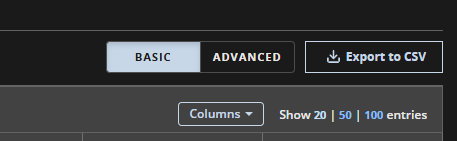
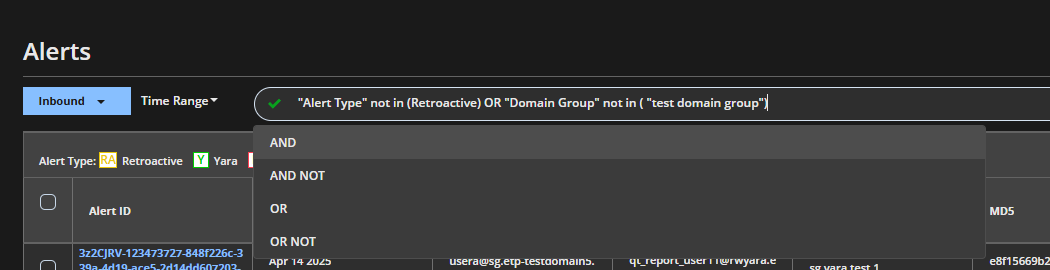
In the advanced mode, you can use queries to create a filter.
Note
If you using a query to filter alerts and switch between inbound and outbound modes, you will lose the query and you will be redirected to the basic filter mode.
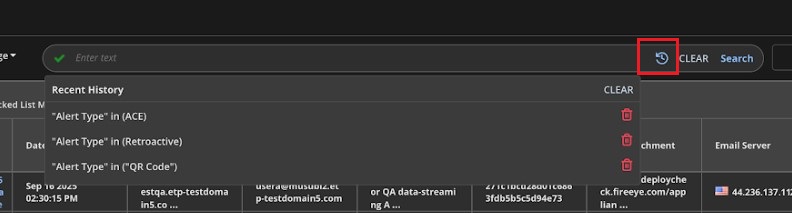
In the advanced mode, click the Search History icon to view past searches, delete individual entries, or clear the entire history.
You can filter alerts based on the following criteria:
Date
Last 1, 7, or 30 days
Custom range (click to specify)
Domains
Select from a list of domains
Domain Groups
Select from a list of domain groups
View
Acknowledged
Unacknowledged
Alert Type
ACE
Blocked List Match
QR Code
Retro
Riskware
Yara
Other (Alerts having a type other than the ones listed above will be categorised as Other)
Note
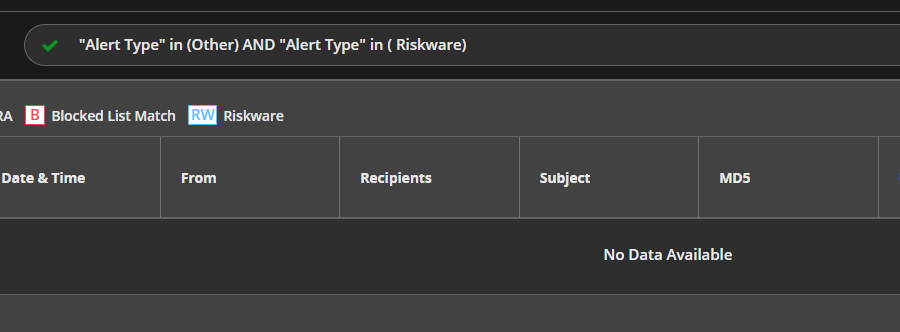
Using the Other alert type in an advanced mode query along with parameter and using the AND operator will not generate any result.
Using the 'Other' alert type together with a different alert type will not produce the expected results. Please avoid combining 'Other' with any other alert type.
Threat Type
Select from 70 threat types
Select Others for threats that do not belong to a specified threat group
Add more filters: Add a new entry in a category in which to filter:
Alert ID
From
Recipients
Subject
MD5
URL/attachment
Note
If you filter as per a specific URL using the URL/attachment query in advanced mode, it will list alerts added after the release 2025.2.
Email server
Signature name
Riskware Rules (not supported for outbound traffic)
Detection Engine (Only in advanced mode)
Read (Only in advanced mode)
To reset the filters, click Clear.