The Quarantine page can be used to release, delete or rescan emails. You can release, delete or rescan multiple emails by selecting the boxes next to each specific email. To select all emails on the page, select the box to the left of the Date & Time column. Only emails received within the last 30 days can be released or deleted.
Note
This option is only available to domains configured in Cloud AV/AS mode and inline mode.
Release emails
Select the boxes next to the emails you want to release.
Click the Release button.
(Optional) Provide a reason for releasing the emails in the Justification field.
Click Yes, release email.
Caution
Released emails may contain LIVE malware. Proceed with caution.
Select the box in the header column. This will select all the messages across multiple pages.
You can also apply filter(s) to filter out matching emails and release them together. You can release a maximum of 10000 emails at a time.
Click the Release button. A pop-up window will appear.
(Optional) Select Report as "NOT SPAM" to enhance future Email Security — Cloud detection capabilities.
Enter the reason for releasing the emails in the Justification box.
Select the box, Release all emails.
Click Yes, release emails.
Delete emails
Select the boxes next to the emails you want to delete.
Click the Delete button then confirm that you want to delete the emails.
Select the box in the header column. This will select all the messages across multiple pages.
You can also apply filter(s) to filter out matching emails and delete them together. You can delete a maximum of 10000 emails at a time.
Click the Delete button. A pop-up window will appear.
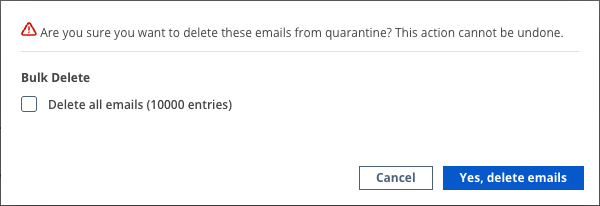
Select the box, Delete all emails.
Click Yes, delete emails.
Rescan emails
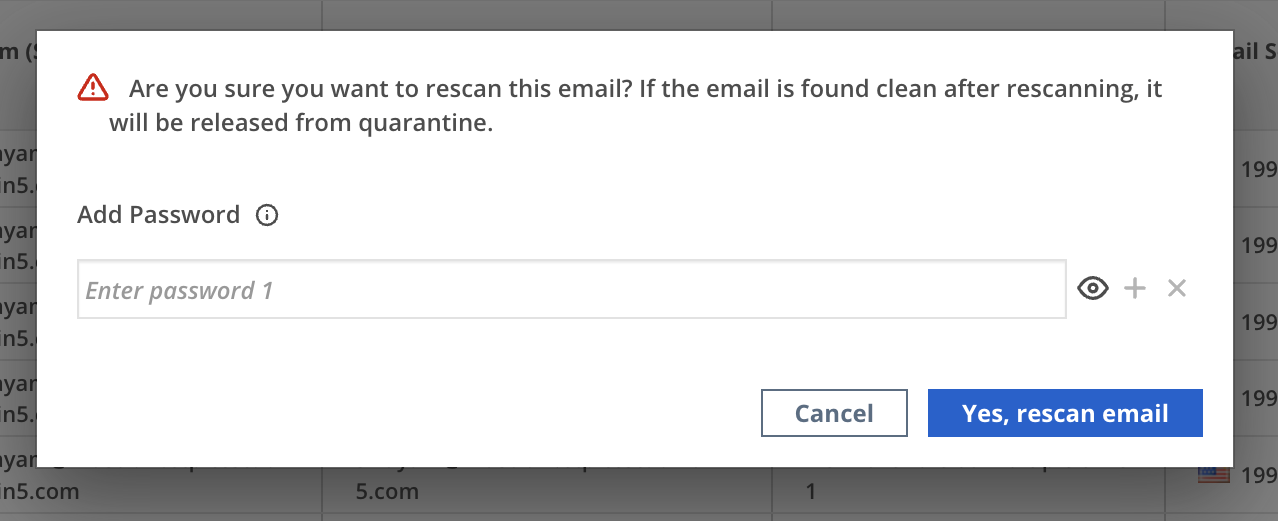
Use the Rescan with Password button to rescan emails that contain password-protected attachments and quarantined under riskware rule ID 65066. You need to provide candidate passwords to enable Email Security — Cloud to decrypt and analyze the attachment during the rescan. You can submit multiple passwords per request.