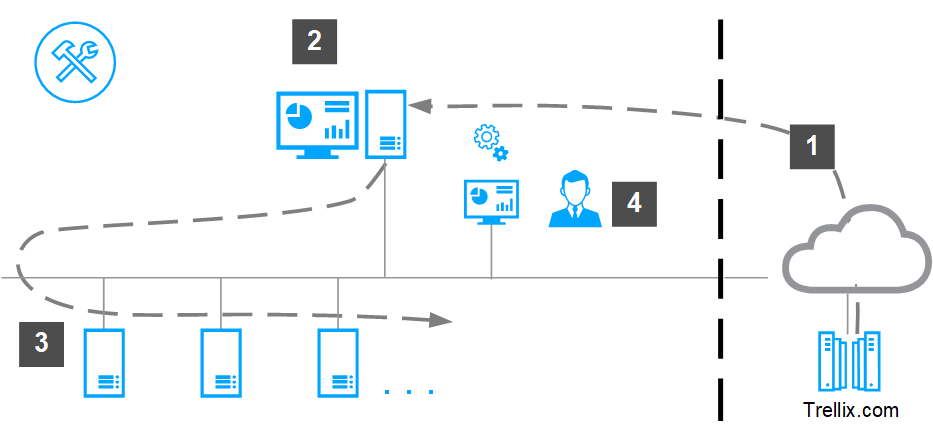
Upgrade installation requires only check-in and deployment of the Trellix DLP Discover server software.
Download the software from the Trellix DLP download site, or use the ePO - On-prem Software Manager or Software Catalog (to view, download, and install the software.
Check in the Trellix DLP Discover server package update to the ePO - On-prem Main Repository.
Deploy the Trellix DLP Discover server software to the servers from the ePO - On-premSystem Tree.
Verify the installation in the DLP Operations console.