The Email Alerts: Email Analysis page of the Email Security - Server appliance lists the results, grouped by recipient, of a YARA rule match on the header or within an email message body. The attachments and URLs that are extracted from the email message body based on email YARA analysis are sent to the DTI Cloud for analysis if they are detected as malicious.
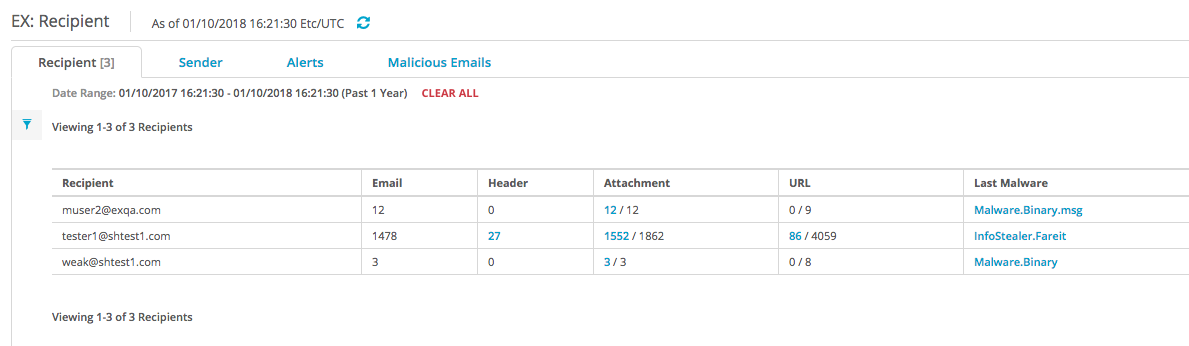
To view the email YARA analysis alert details grouped by recipient:
In the Web UI, click the eAlerts tab.
Click Recipient.
Click the total number of header and email message body links in the Header column.
To expand an entry, click the ID number in the ID column or the type name in the File Type column.