The eAlerts > eAlerts > Malicious Emails page of the Email Security - Server appliance lists results grouped by malicious email, associated with an alert, including the campaign. A red box indicates that the campaign is not verified. A blue box indicates that the campaign is verified.
Note
The Received field displays the date and time when the appliance finished processing the email, not the date and time when the last email was received.
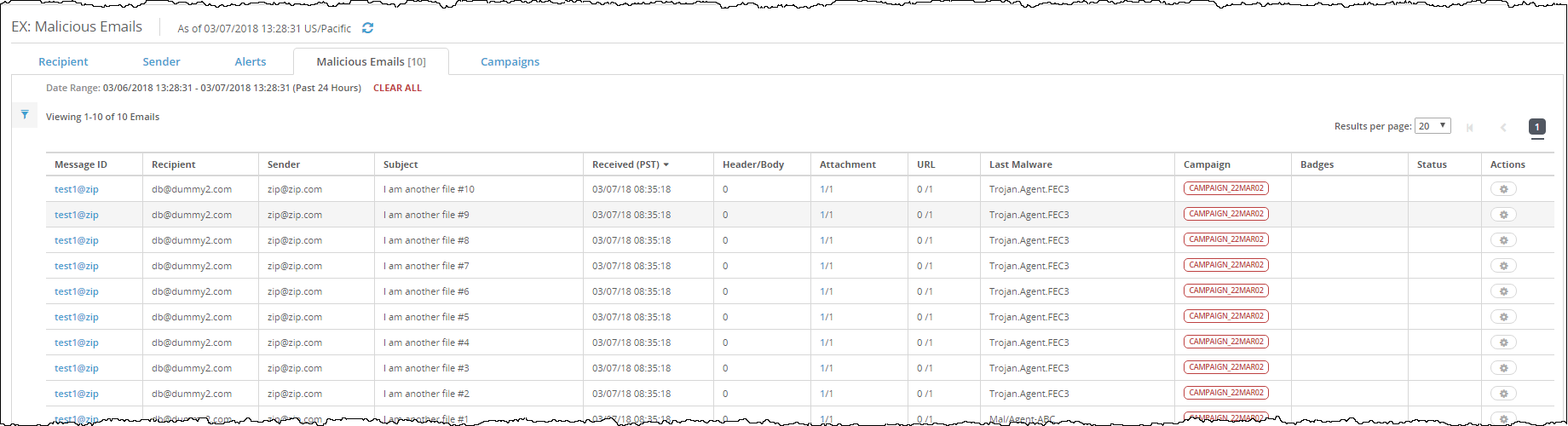
To view the campaign detection details grouped by malicious email:
In the Web UI, click the eAlerts tab.
Click Malicious Emails.
To view details about the campaign, click the campaign detection button in the Campaign column.
To show the email alert that is marked as malicious, click the message name in the Message ID column.