The eAlerts > Alerts page of the Email Security - Server appliance lists results grouped by alert including the campaign, associated with a malicious email. A red box indicates that the campaign is not verified. A blue box indicates that the campaign is verified.
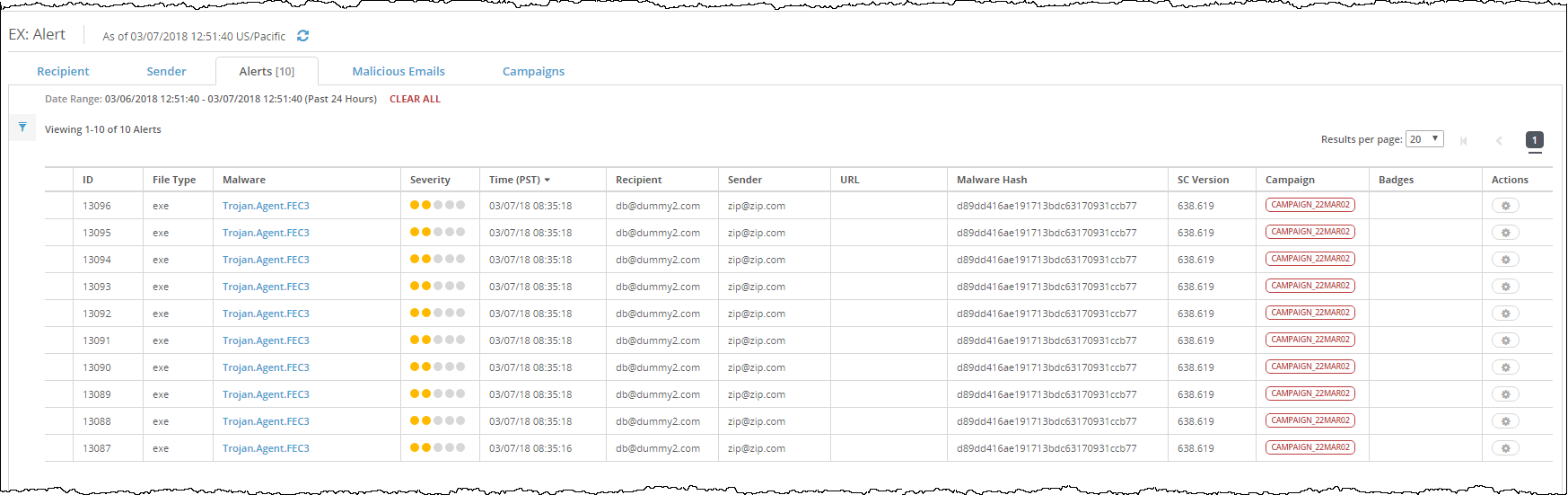
To view the campaign detection details grouped by alert:
In the Web UI, click the eAlerts tab.
Click Alerts.
To view details about the campaign, click the campaign detection alert in the Campaign column.
To expand the row to show detailed results, click the ID name in the ID column or the type name in the File Type column.