Follow these steps to view the message content of the malicious emails in the quarantine.
To view the message content of the malicious emails in the quarantine:
In the Web UI, click the eQuarantine tab.
Select the time frame you want to view by using the calendar icon (
.png) ).
).To display the message content, click the cog icon under the Action column and select View Email.
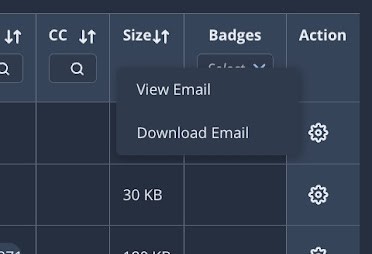
To download a copy of the original email as a text file to your local desktop, click the cog icon under the Action column and select Download Email.