On the Email Quarantine page, you can view the message details of quarantined malicious emails as well as malicious URLs found in the message or its attachments. You can also download a copy of the original email to your local desktop. You can display up to 100 email entries per page. You can view the analysis results of the malicious emails on the Email Alerts: Email Analysis page. For details about how to view the analysis results, see Viewing the malicious emails using the Web UI .
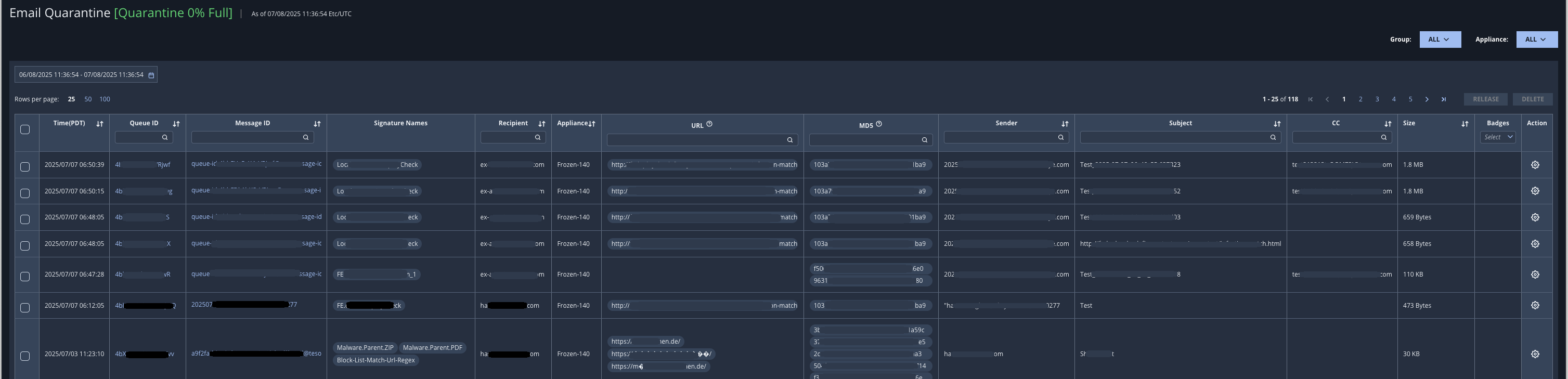
The following table describes the quarantine fields.
Field | Description |
|---|---|
Time | Date and time email was received. |
Queue ID | Queue ID of the email's attachments. You can filter this column using the search field in the header.
|
Message ID | Unique identifier of the message. You can filter this column using the search field in the header. Hover over an ID to see the complete message ID.
|
Signature Names | The name of the alert rule exception that addresses aspects of the same network vulnerability. |
Recipient | Email address of the recipient. You can filter this column using the search field in the header. |
Appliance | Appliance from which the email was sent |
URL | Malicious URLs found in the message or its attachments. You can filter this column using the search field in the header. For readability, only the first 5 URLs are shown directly in a cell. Hover over an ID to see the complete URL address. |
MD5 | MD5 hashes of the email's attachments. You can filter this column using the search field in the header. For readability, only the first 5 MD5 hashes are shown directly in a cell. |
Sender | Email address of the sender. |
Subject | Text of the subject line of the email. |
CC | Additional recipients of the email. |
Size | Size of the email in bytes, kilobytes, or megabytes. |
Badges | Remediated—Displayed if the email was quarantined from Microsoft Office 365 mail storage by a remediation action taken on a malicious object identified by retroactive detection. Partially Remediated—Displayed if there are multiple recipients and remediation fails for at least one recipient. If the email has been forwarded before remediation action is taken, a list of email addresses is supplied. Threat info—Displayed if threat intelligence is known for an alert in the group. Riskware—Displayed if the email displays behavior that affects threat detection. Read—Displayed if the email was read before remediation action was taken. Unread—Displayed if the email has not been read. |
Note
You can view the message content of the malicious emails in the quarantine only using the Web UI.
Prerequisites
Administrator, Analyst, or Monitor access to the Email Security - Server appliance